Studio Flow, Arrangement, detailed MIDI and audio editing, instruments, Rack, Mixer and export in one familiar DAW workflow.
Spider Neural UltraThe online DAW built to turn ideas into tracks.
Make music online with the depth and familiar flow of a professional DAW — built for desktop and touch-ready tablet production.With a dedicated mobile Studio for turning the moment into music before it disappears.
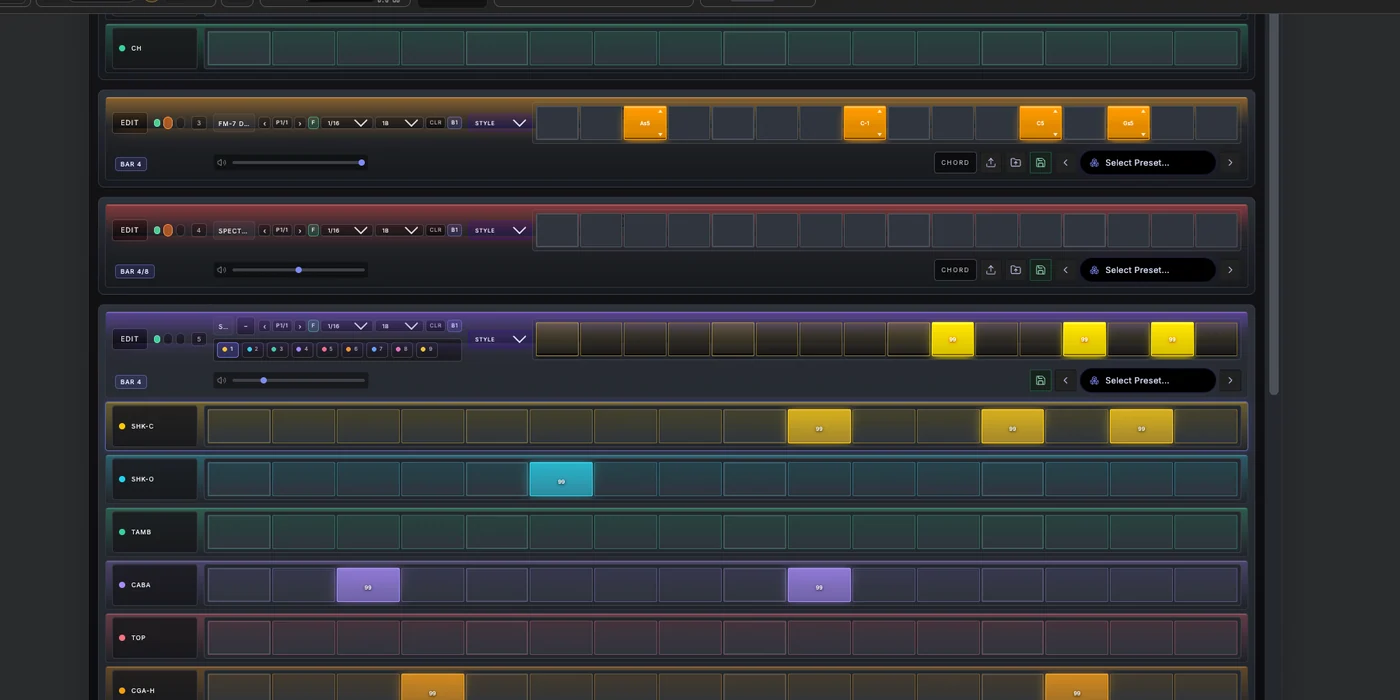
Build beats, basslines and melodies in Studio Flow. Every step becomes real MIDI inside the right Song Part and appears in Arrangement as you create. No rebuilding the track. No breaking the idea.
Start free with Spider's built-in production workflow. Pro will expand the Studio with Bridge access, larger cloud capabilities and additional creative tools as plans are finalized.
PlaySequenceSong PartArrange
one song across every surface
One studio · three ways in
A real DAW on tablet. The full studio on desktop. Your ideas on mobile.
Spider does not shrink a desktop interface onto every screen. Desktop and tablet give you the complete production environment. Mobile gives you a focused Studio made for fast beats, melodies, recording and performance — all connected to the same project.
Arrange, edit, sound-design and mix with the complete Studio in a touch-ready desktop view.
Sequence drums and melodies, play Spider instruments, record ideas and shape the project from a dedicated phone workflow.
Available surfaces depend on the browser and device. Detailed phone workflows intentionally differ from the complete desktop and tablet view.
Studio Flow
Start with a loop. Keep moving toward a song.
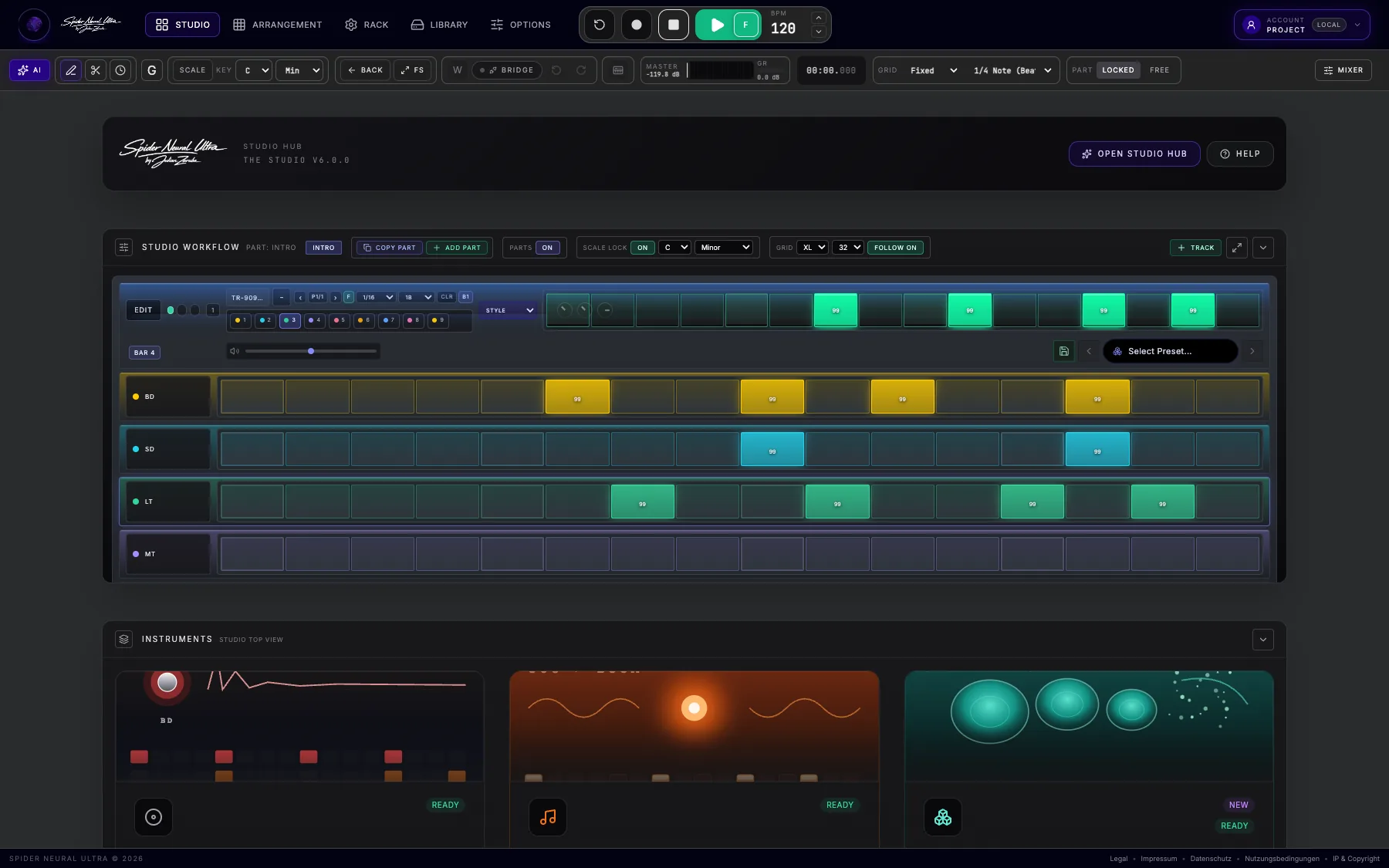
Begin with an Intro, head straight for the Drop, or create a section of your own. Build the drums, bass, chords and melody together while the Part loops — every note already belongs to the song taking shape.
- 01Choose your Part
Begin with an Intro, head for the Drop, or name the section your way.
- 02Catch the idea
Hear every track together and build the whole section from one view.
- 03Create the variation
Copy what already works, then change only what the next section needs.
- 04See the song
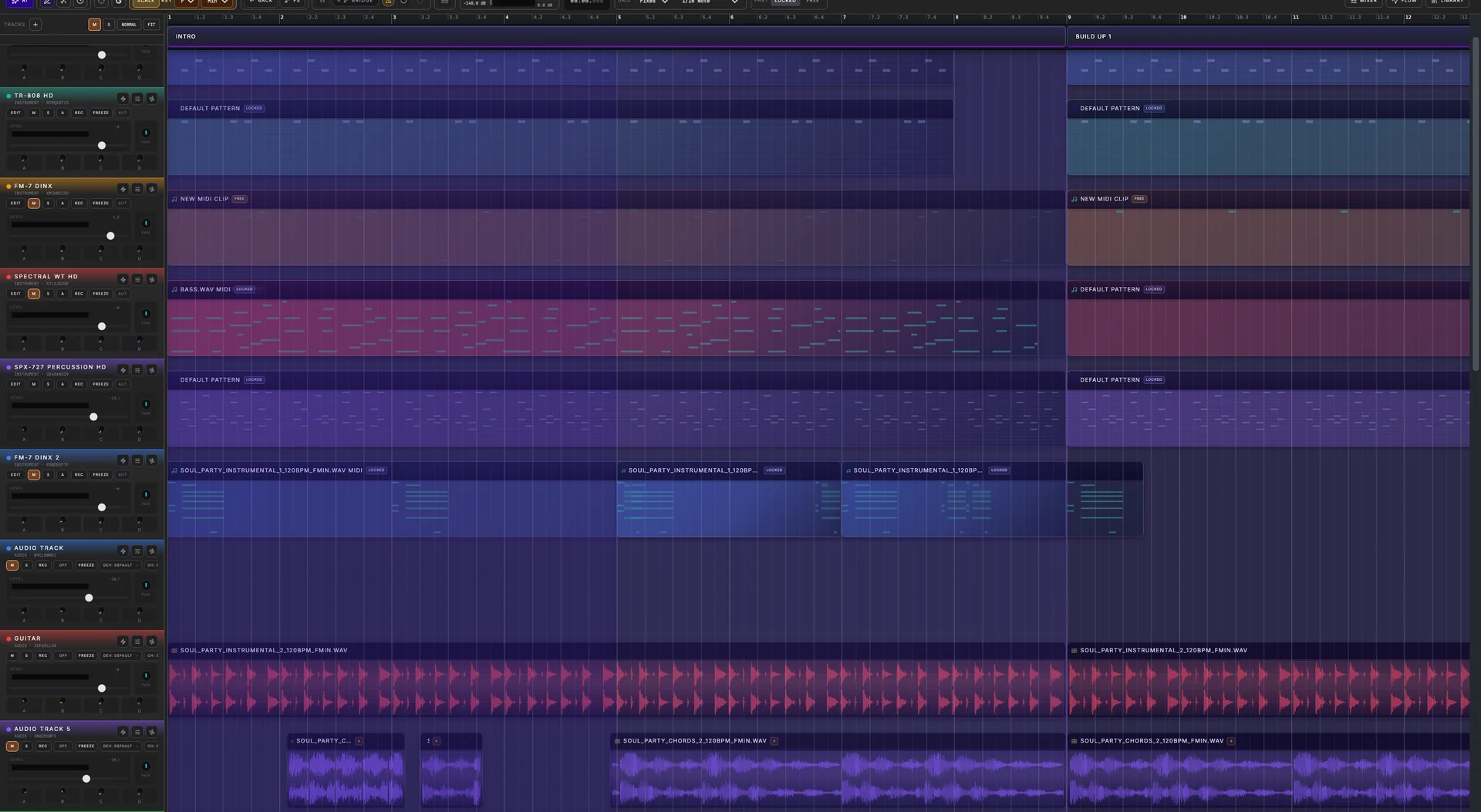
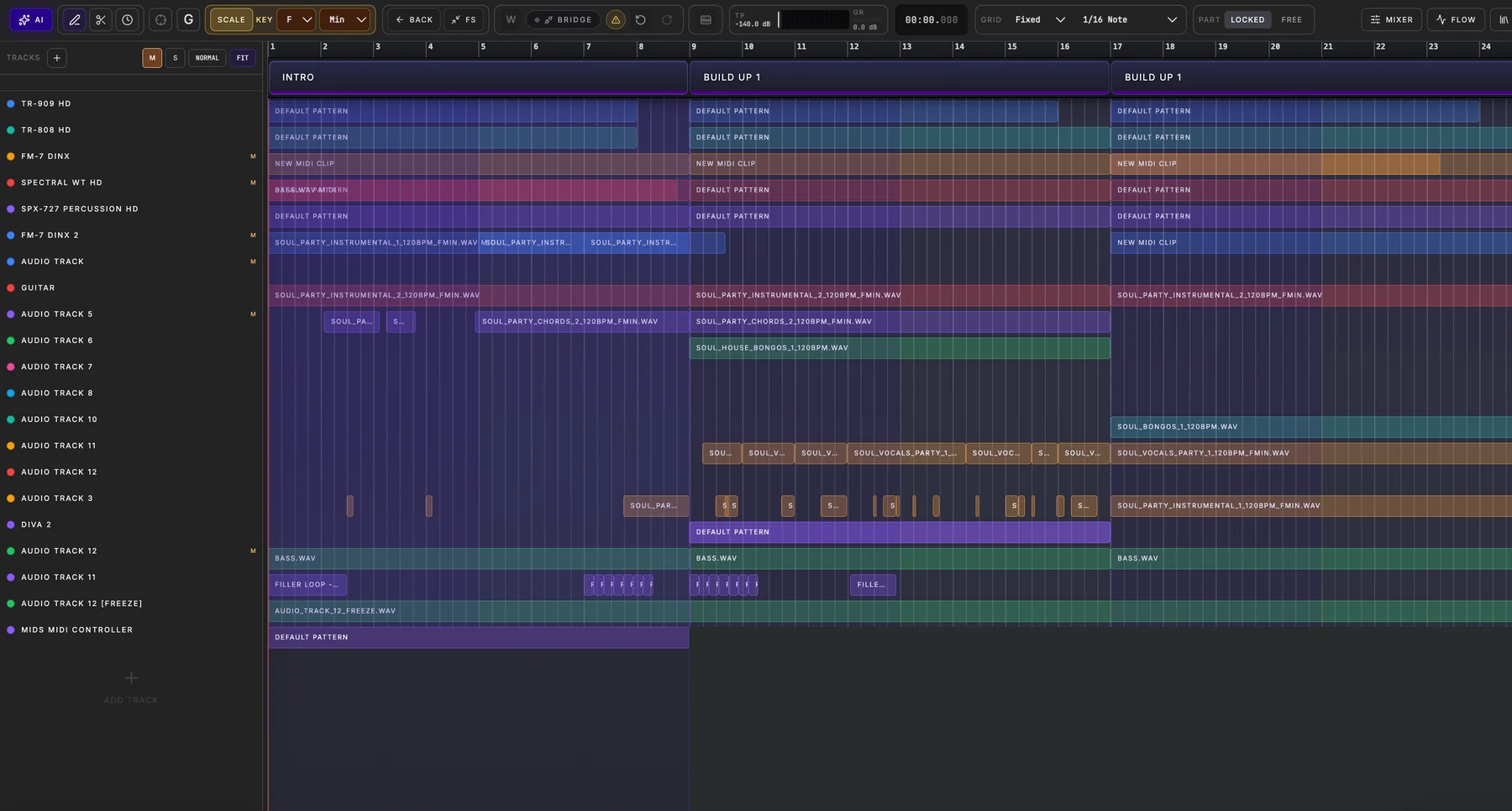
Open Arrangement and find the Part — with its MIDI clips — already on the timeline.
Watch the clip write itself
Every step is already part of the song.
In Part Locked mode, the sequencer writes straight into the active Part's MIDI clip. Move to Arrangement and the kick, snare and hats you just created are already there — ready to shape from either view.
- Nothing to export
- No duplicate pattern to maintain
- One set of notes, two ways to shape it
Structure when it helps. Freedom when it does not.
Copy a finished Part and the next variation is already halfway there. Or switch a track to Free mode, follow the unexpected idea, and bring it into the song when it feels right.
Fast first. Precise when it matters.
Play the idea in. Then take it as far as you want.
Studio Flow gets music into the song quickly. Spider's editors give you the control to finish it: tune the notes, lock them to a scale, tighten the timing, reshape the audio or turn a recording into MIDI.
MIDI + PERFORMANCE
Stay musical while you work.
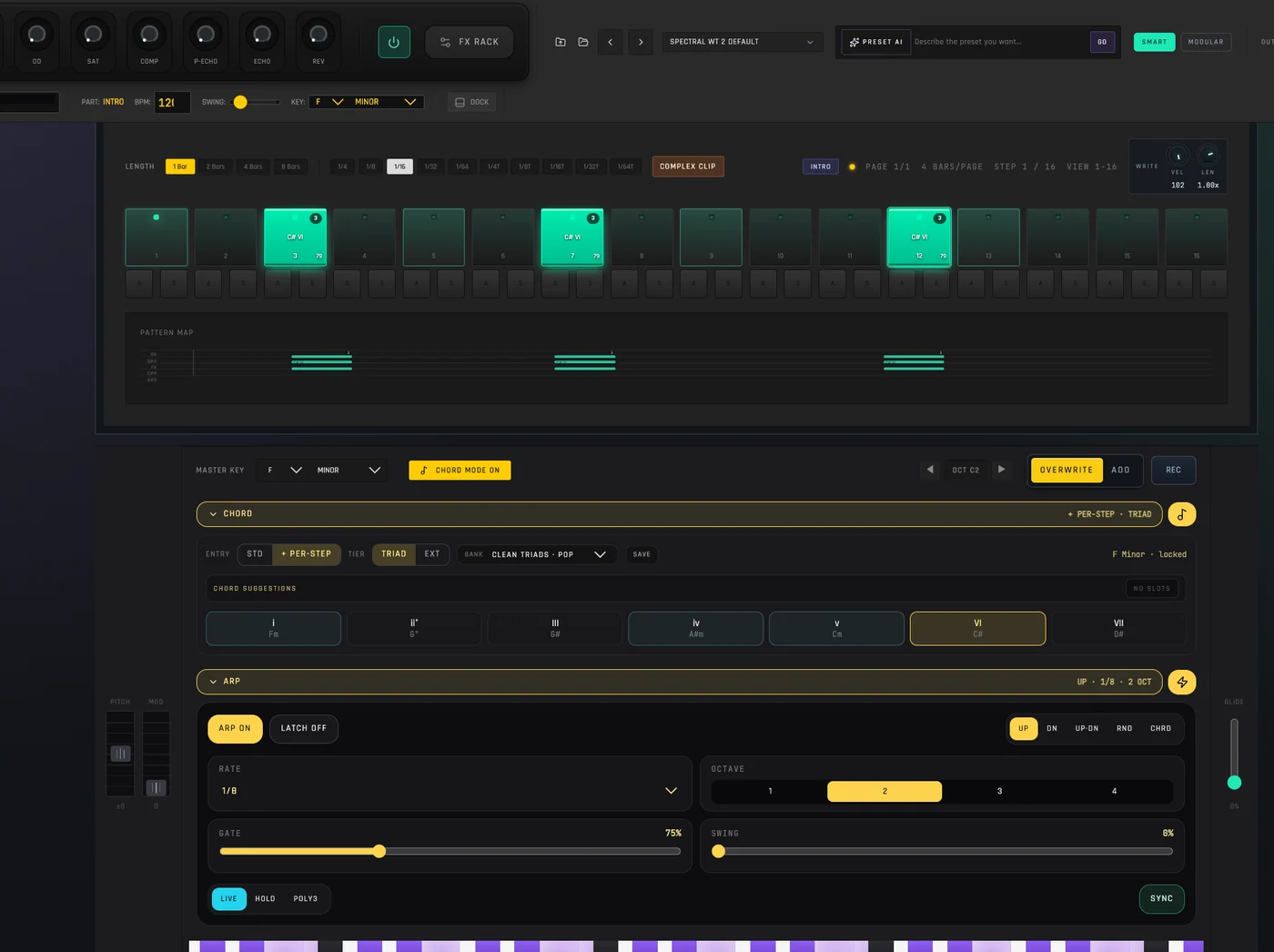
Play from the velocity keyboard, pads or a MIDI controller. Choose a key and scale, build chords and arpeggios, then refine notes, velocity, length and timing in the piano roll.
AUDIO CLIPS
Treat recorded sound like part of the instrument.
Record or import audio, trim and loop it, shape fades and gain, reverse it, match it to the track and work with Warp markers and dedicated Warp modes.
AUDIO TO MIDI
Turn sound back into something you can play.
Convert the audible state of an audio clip into MIDI, send it to a Spider instrument and keep developing the musical idea instead of starting again.
Audio Clip Editing
Shape every recording without losing the feel.
Turn a recorded phrase, imported loop or found sound into material that truly belongs in your track. Spider keeps the detailed waveform directly beneath the Arrangement, so you can hear every edit in the song — not in an isolated utility window.
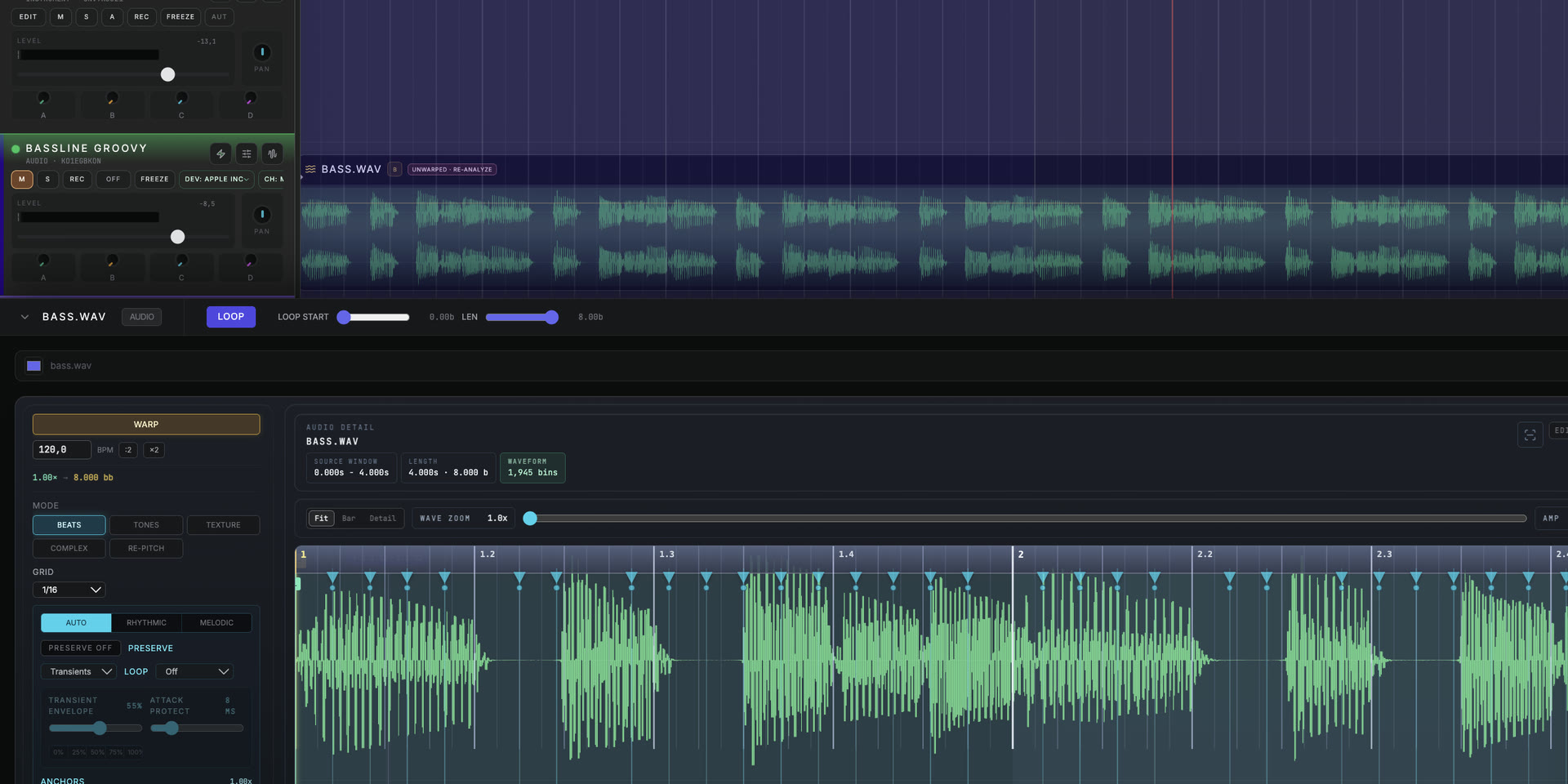
WARP · TRANSIENTS · LOOP
Stretch the timing. Keep the performance.
Set Warp anchors, choose a mode for beats, tones, textures or complex material, control transients and preservation, match the clip to your tempo, adjust gain and loop the result. Every change stays connected to the clip already playing inside your Arrangement.
Choose Beats, Tones, Texture, Complex or Re-Pitch instead of forcing every sound through the same process.
Place anchors, work with detected transients and decide how much of the original attack and timing to preserve.
Match tempo, define the source window, set loop start and length, and audition the result against the Arrangement.
Built-in instruments
Meet the instruments behind your next idea.
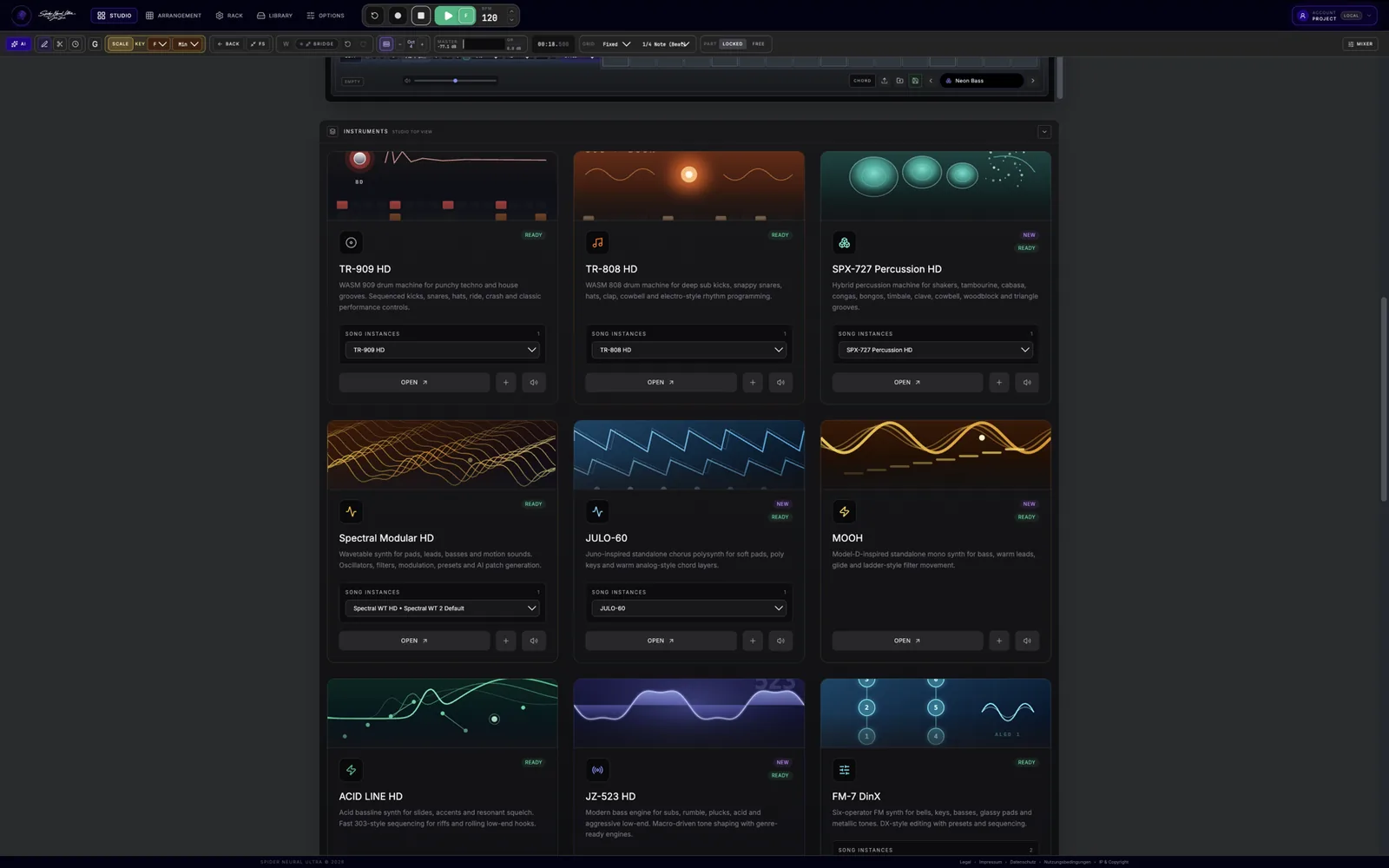
Go from a blank project to a sound that pulls you in. Reach for punchy drum machines, deep analog bass, wavetable movement, FM shimmer, granular textures or an eight-lane sampler — then bring it all together in the same Song Part.
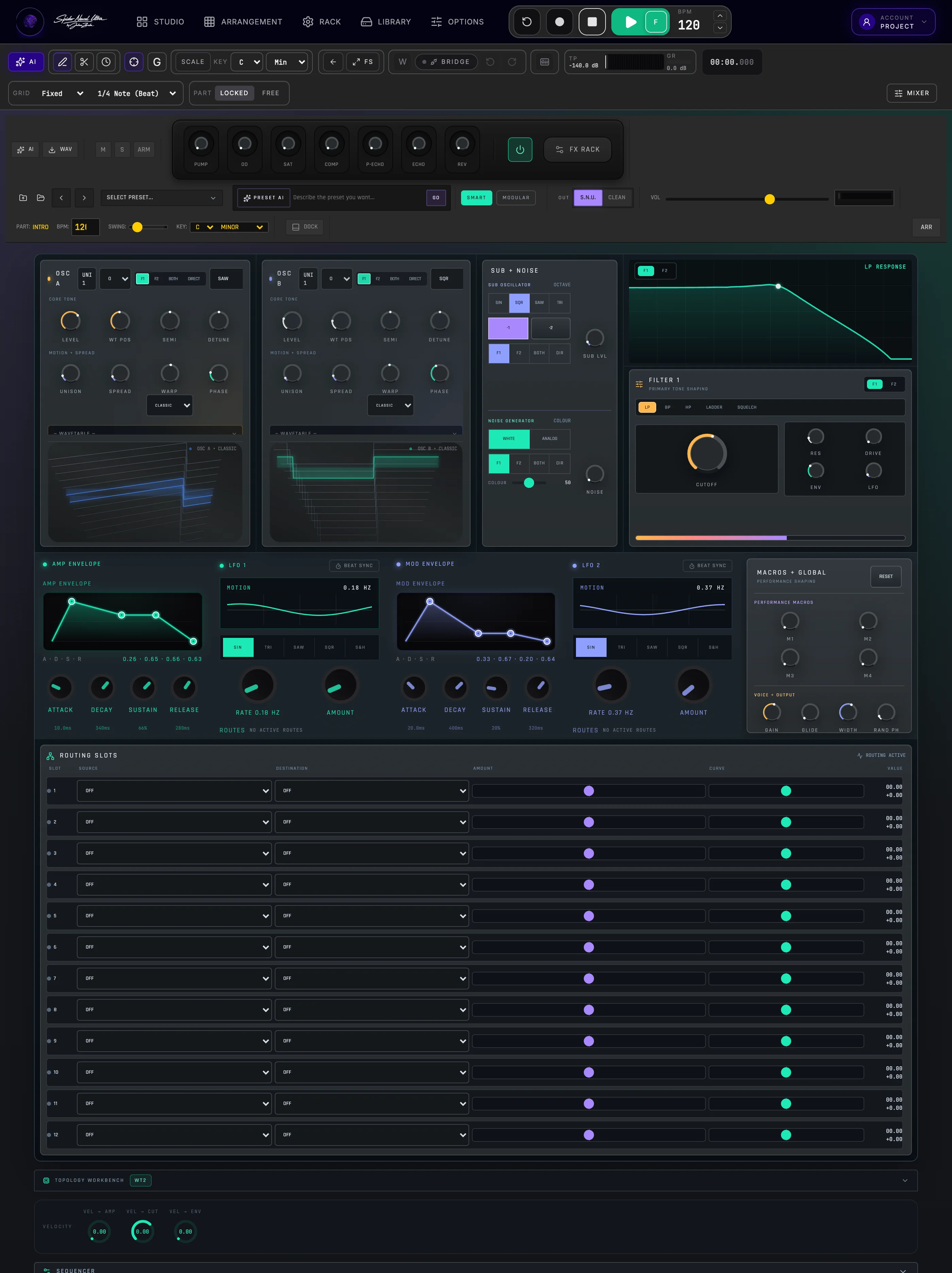
Moving pads, sharp plucks, modern basses, expressive leads, and evolving textures.
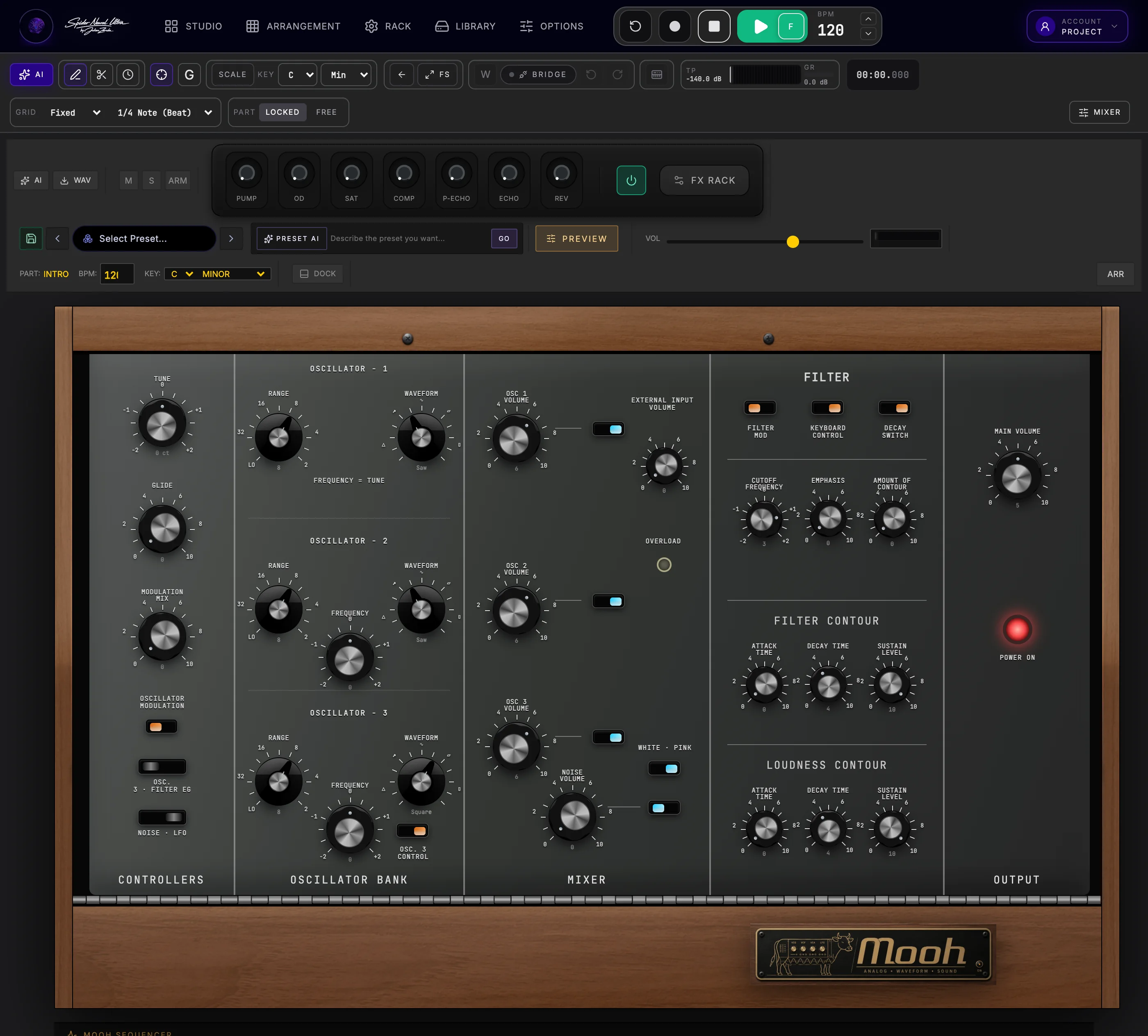
Thick subs, warm leads, glide, and the weight of a classic ladder-filter mono synth.
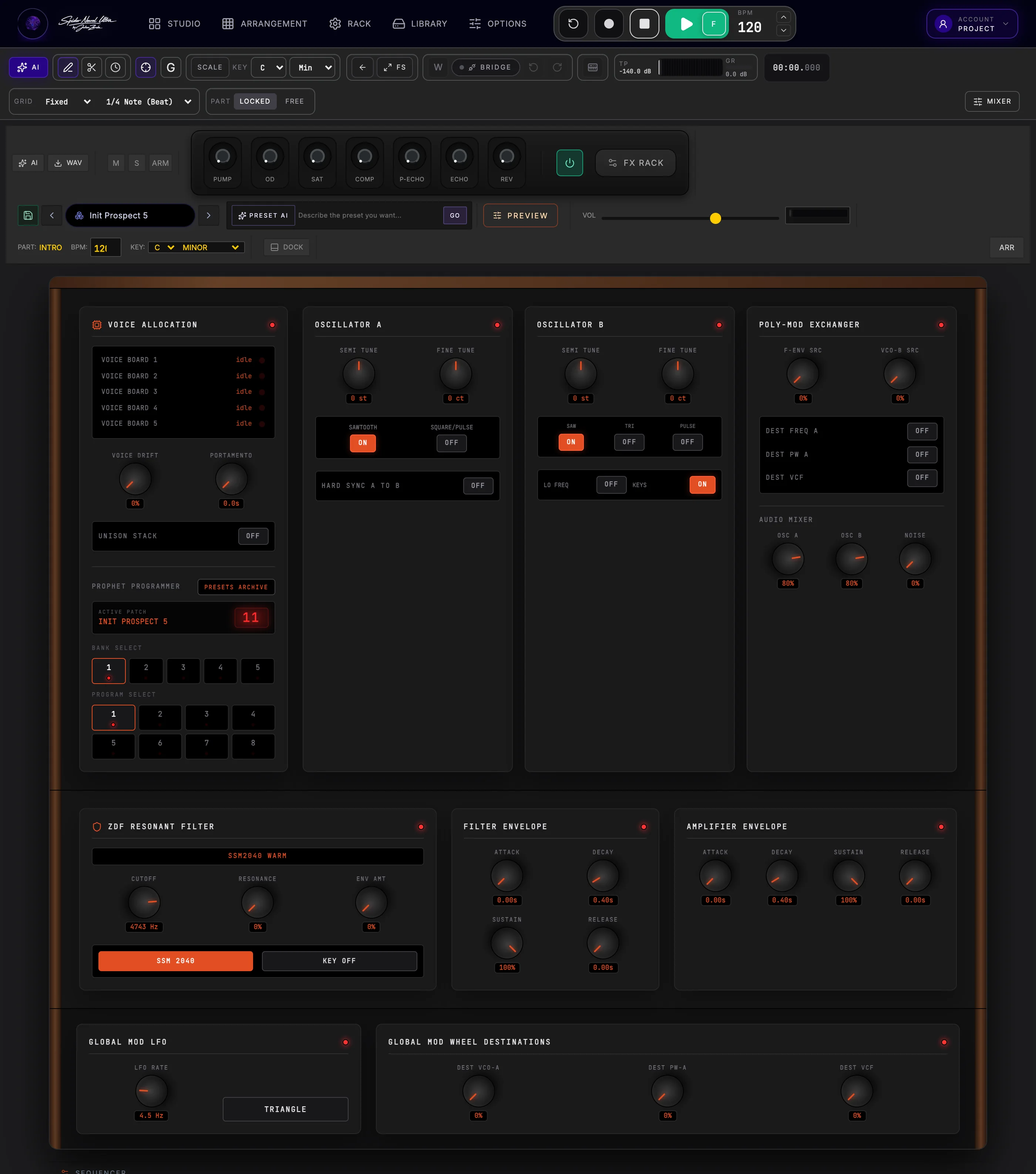
Vintage pads, brass, keys, leads, and lively poly-mod movement.
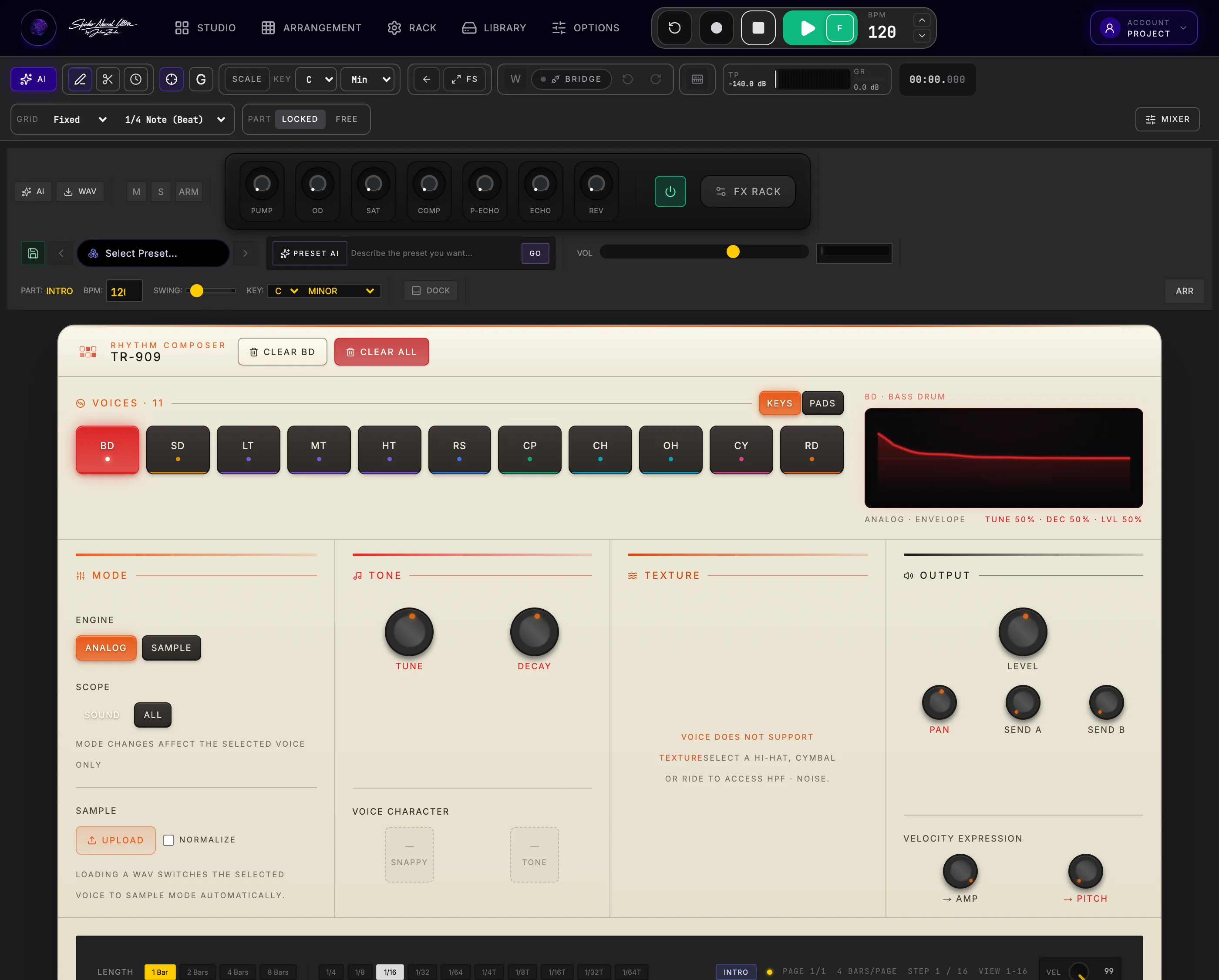
Punchy kicks, crisp hats, clap, ride, and the unmistakable drive of house and techno.
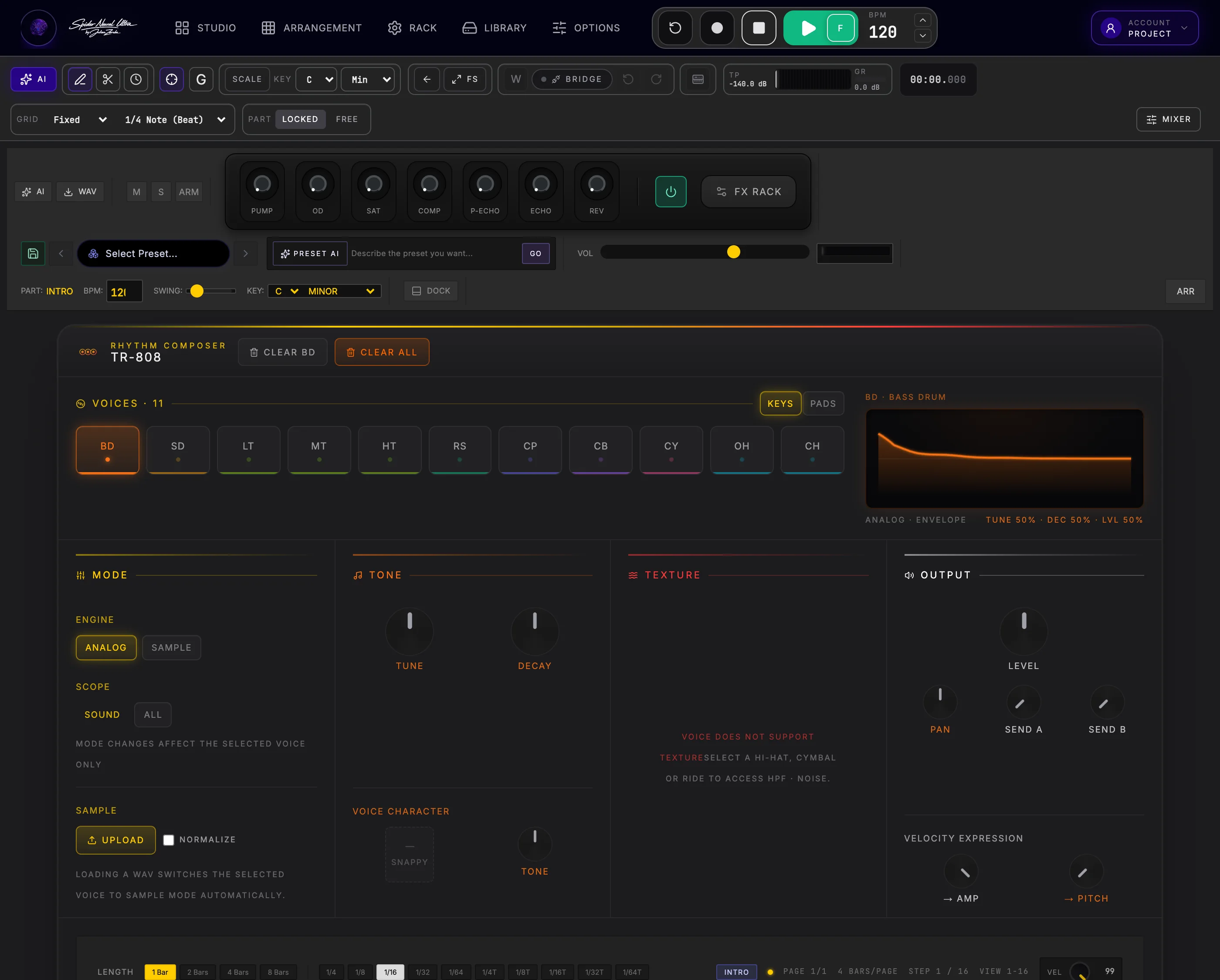
Deep sub kicks, snapping snares, hats, clap, and cowbell for hip-hop, electro, and beyond.
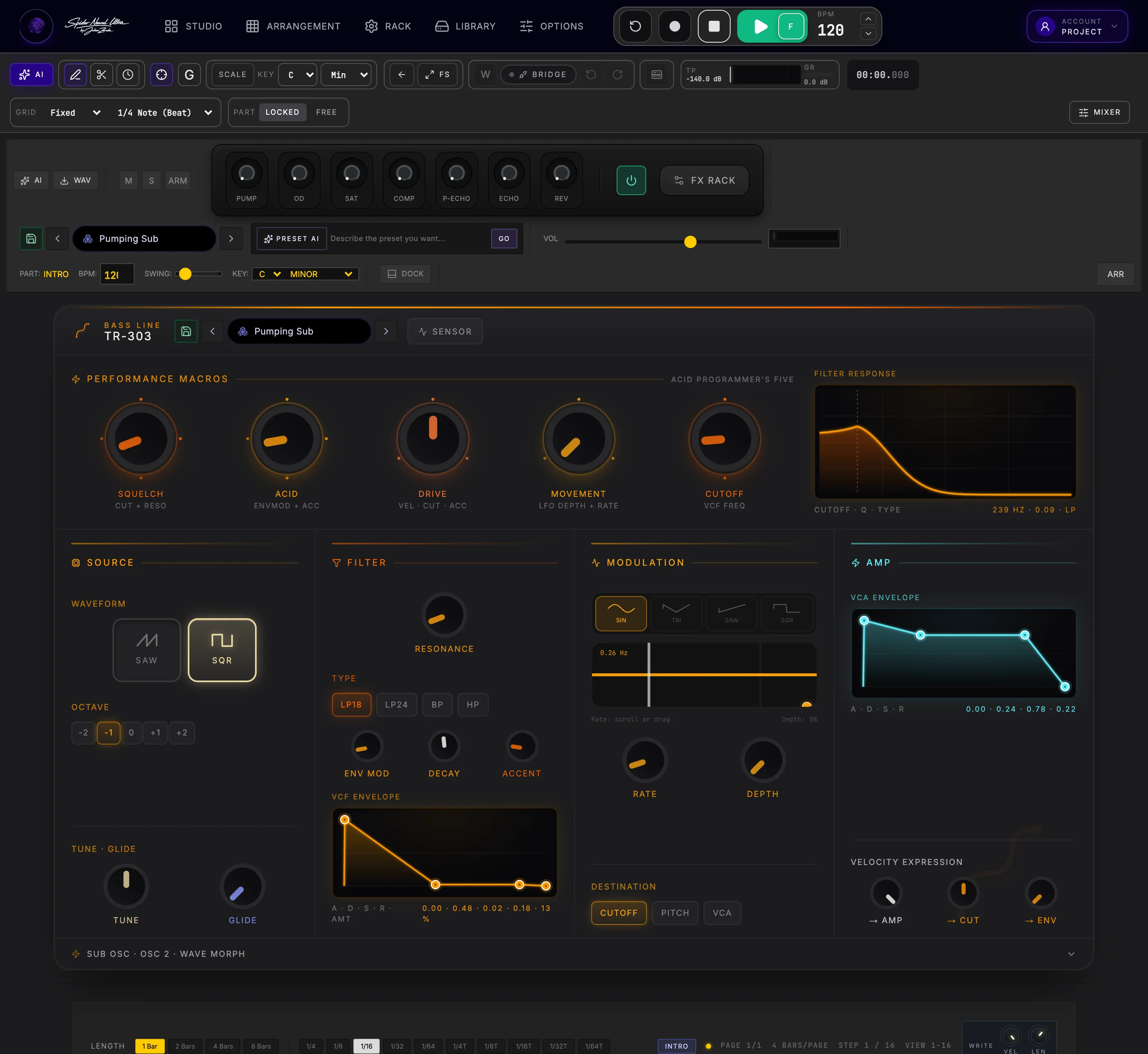
Slides, accents, and resonant squelch for basslines that roll, bite, and move.
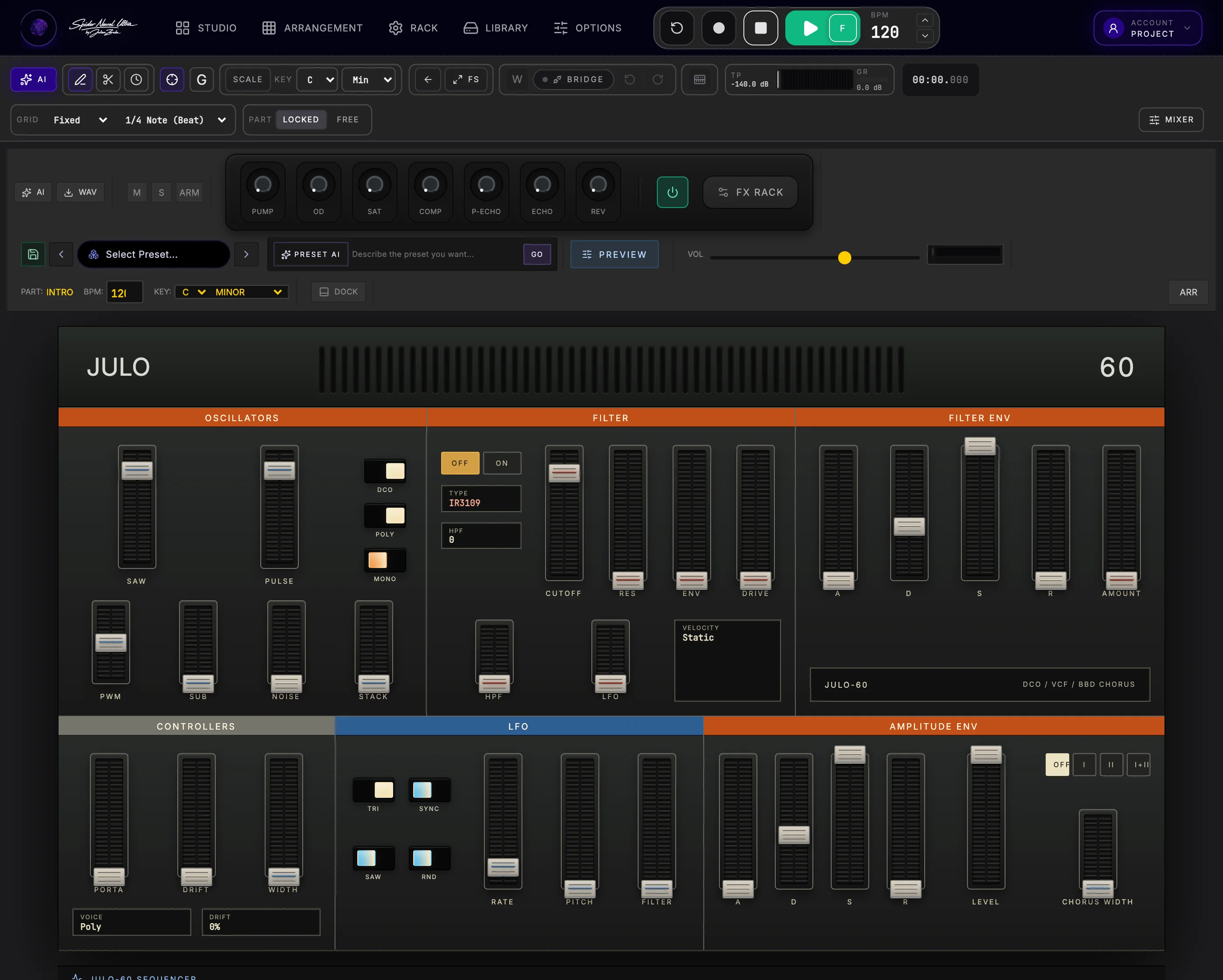
Lush chorus pads, soft keys and analog-style chord beds.
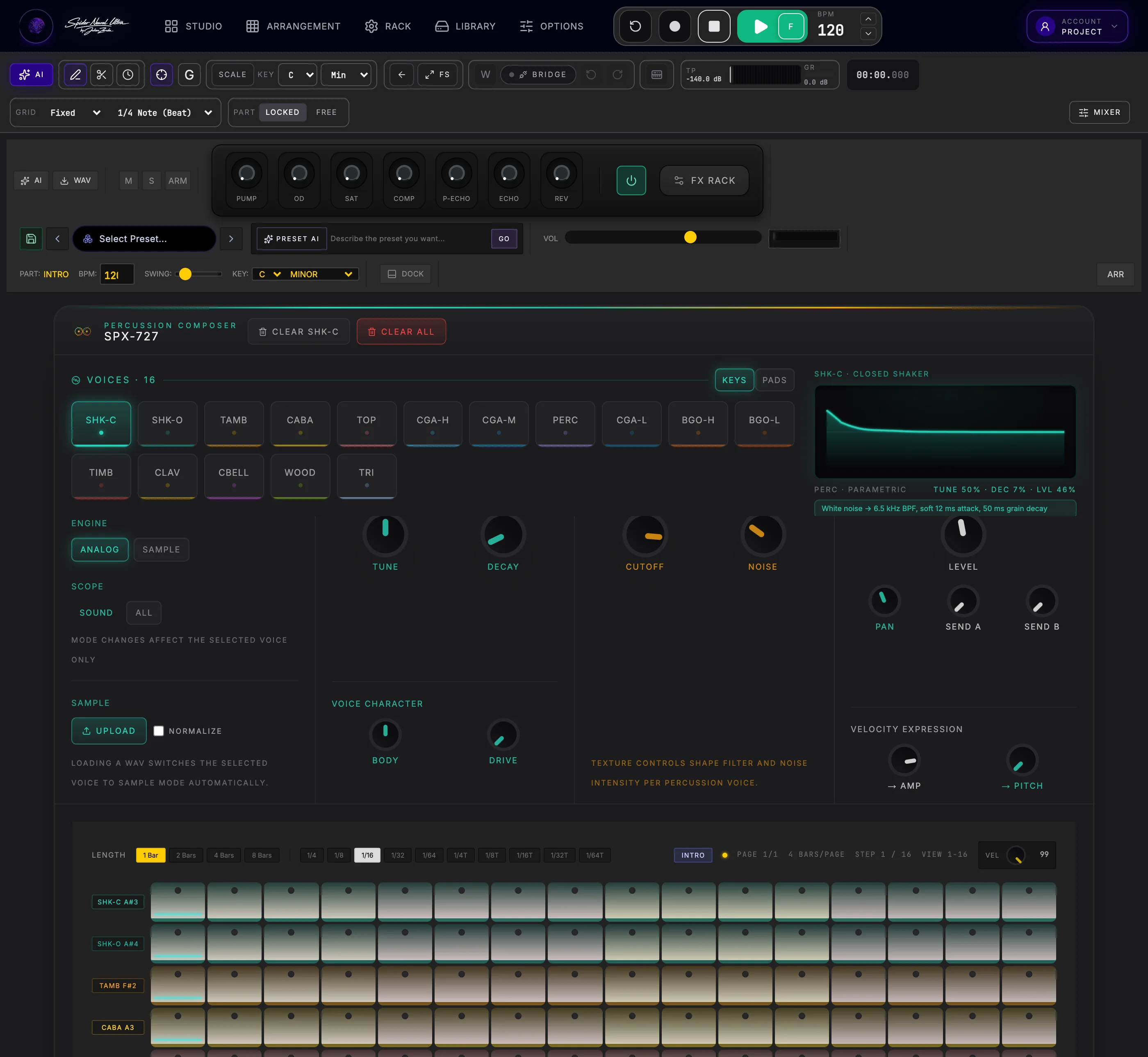
Shakers, congas, bongos, timbale, clave, cowbell and woodblock.
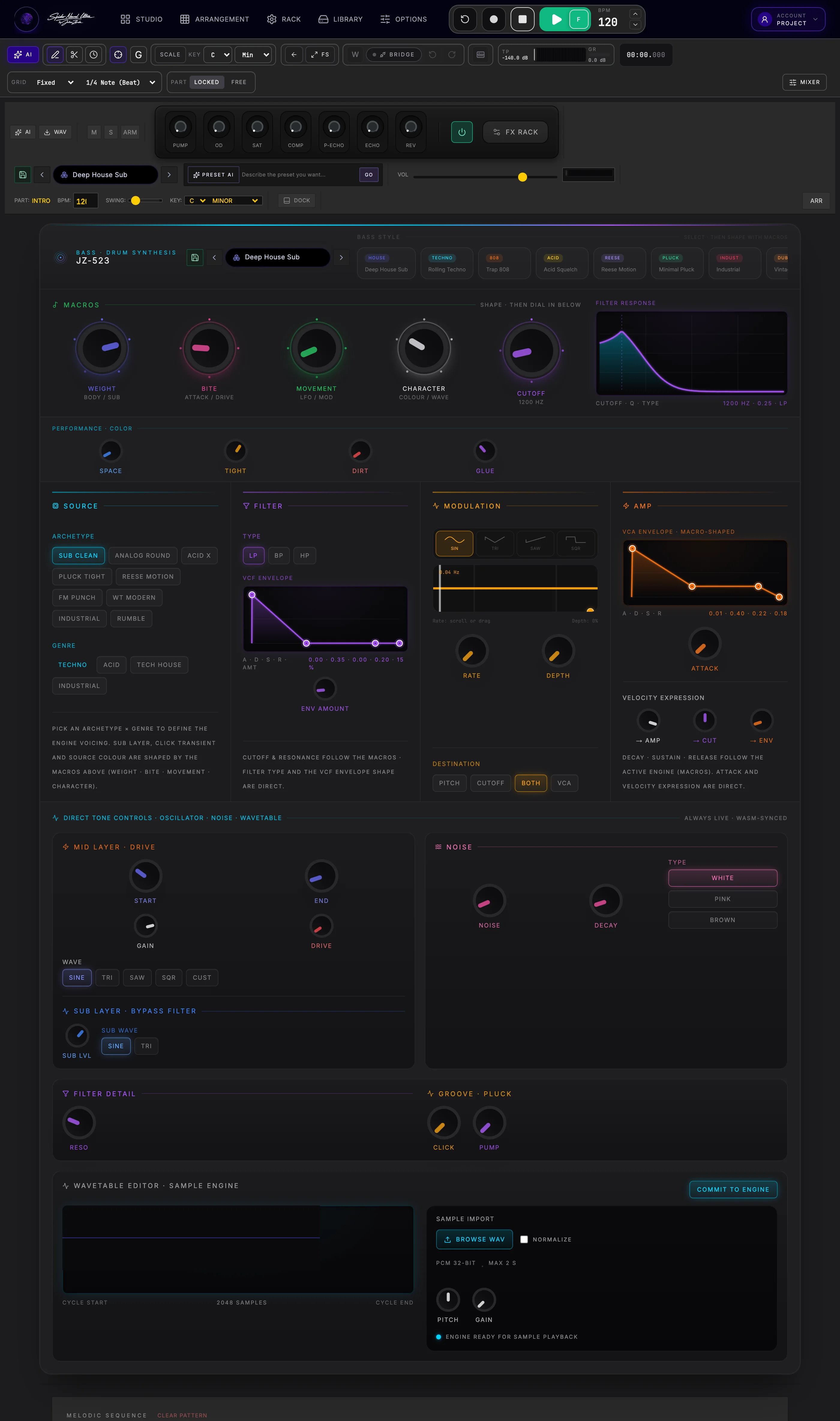
Subs, rumble, plucks and aggressive low end with macro tone shaping.
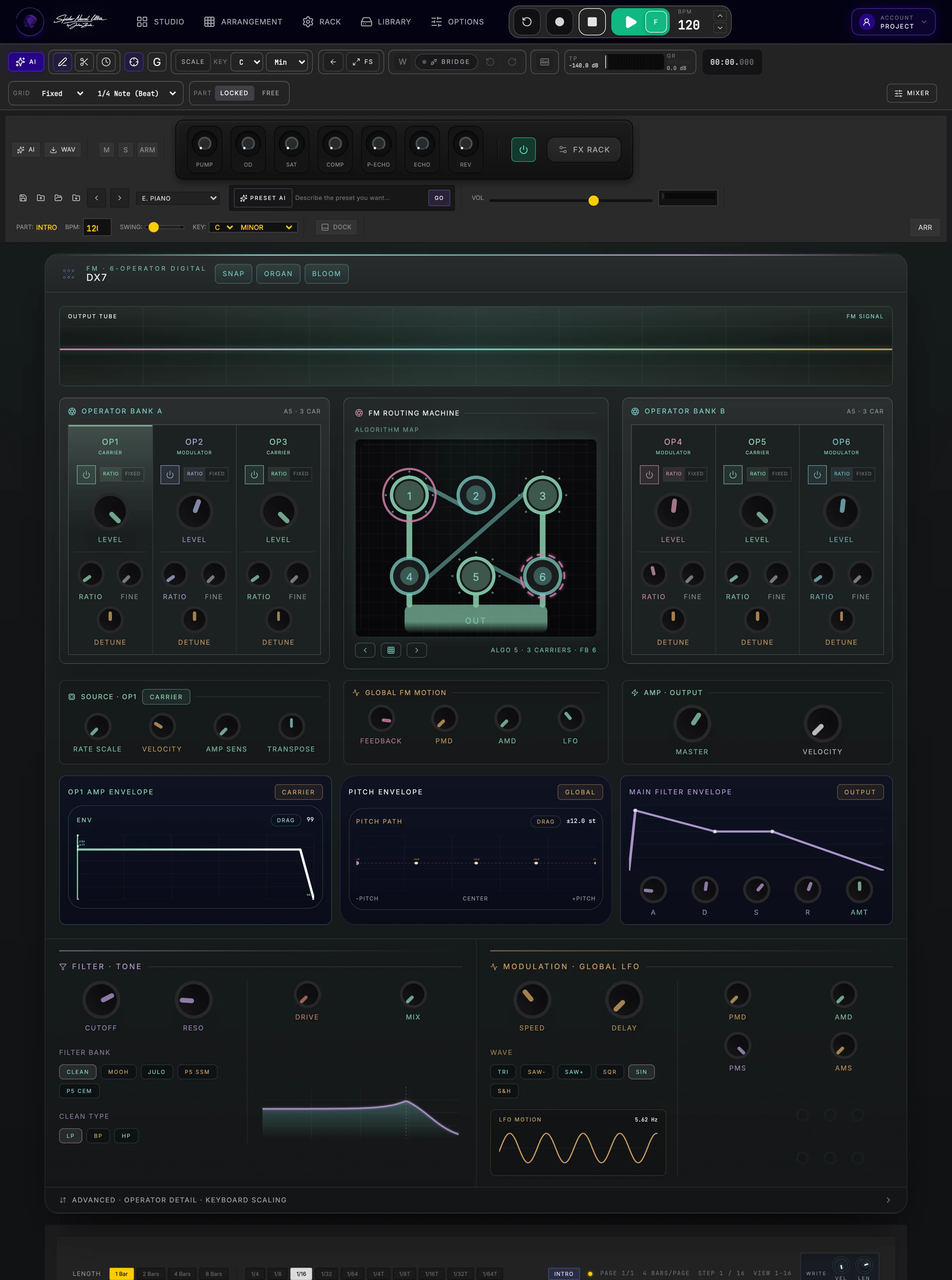
Bells, glass, digital keys, metallic tones and evolving FM pads.
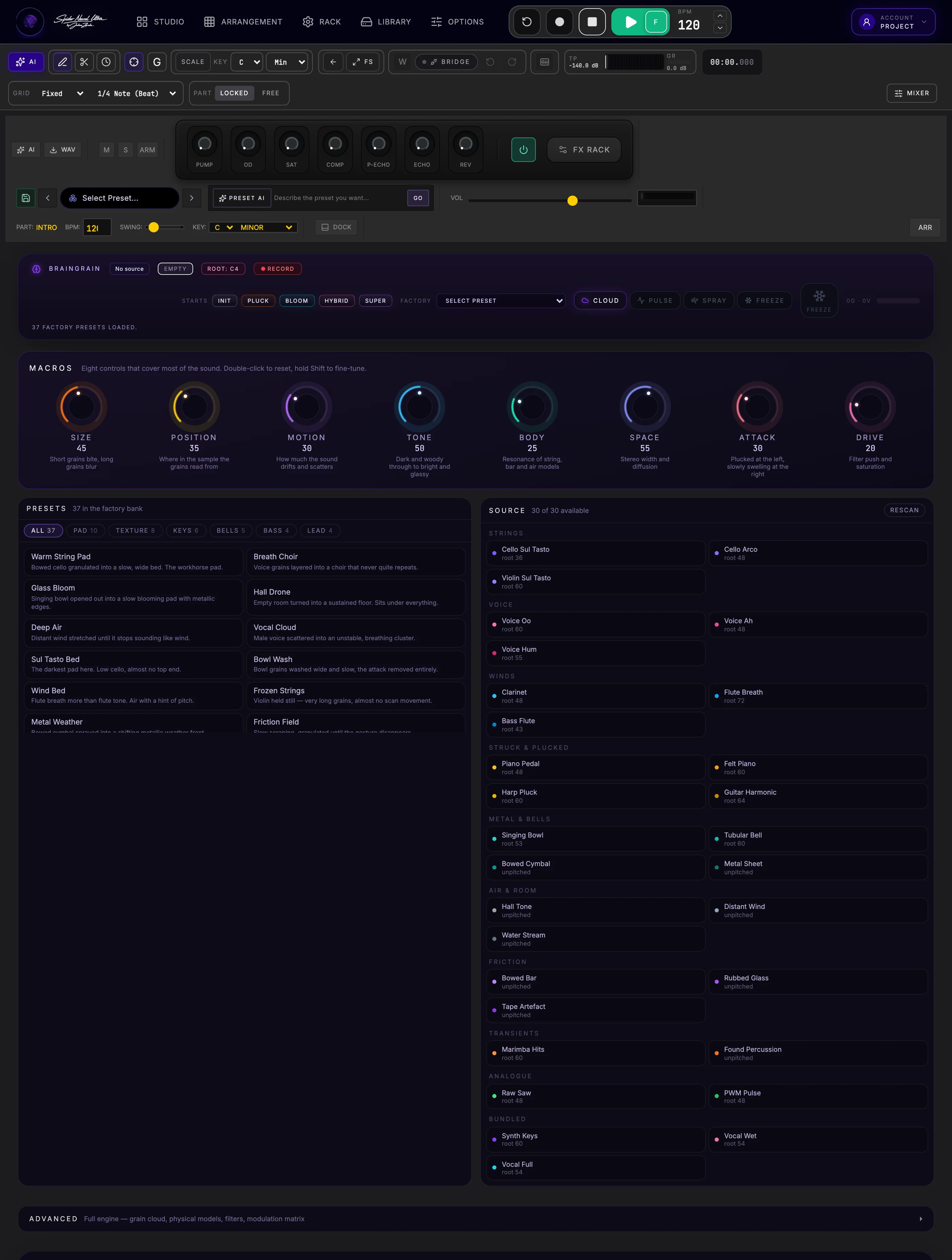
Clouds, freeze, resynthesis and textures that keep moving.
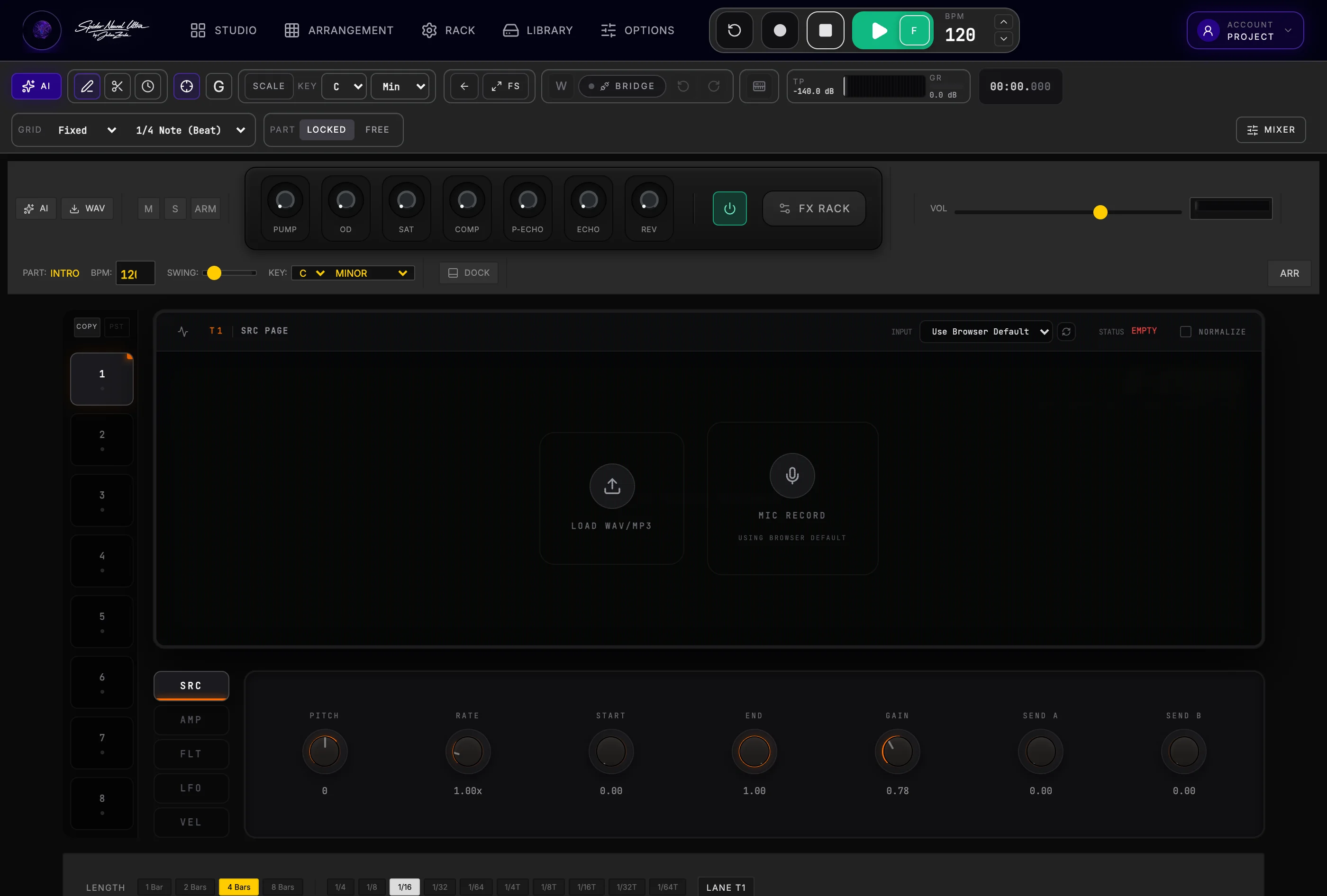
One-shots, loops, slices and vocal chops across eight lanes.
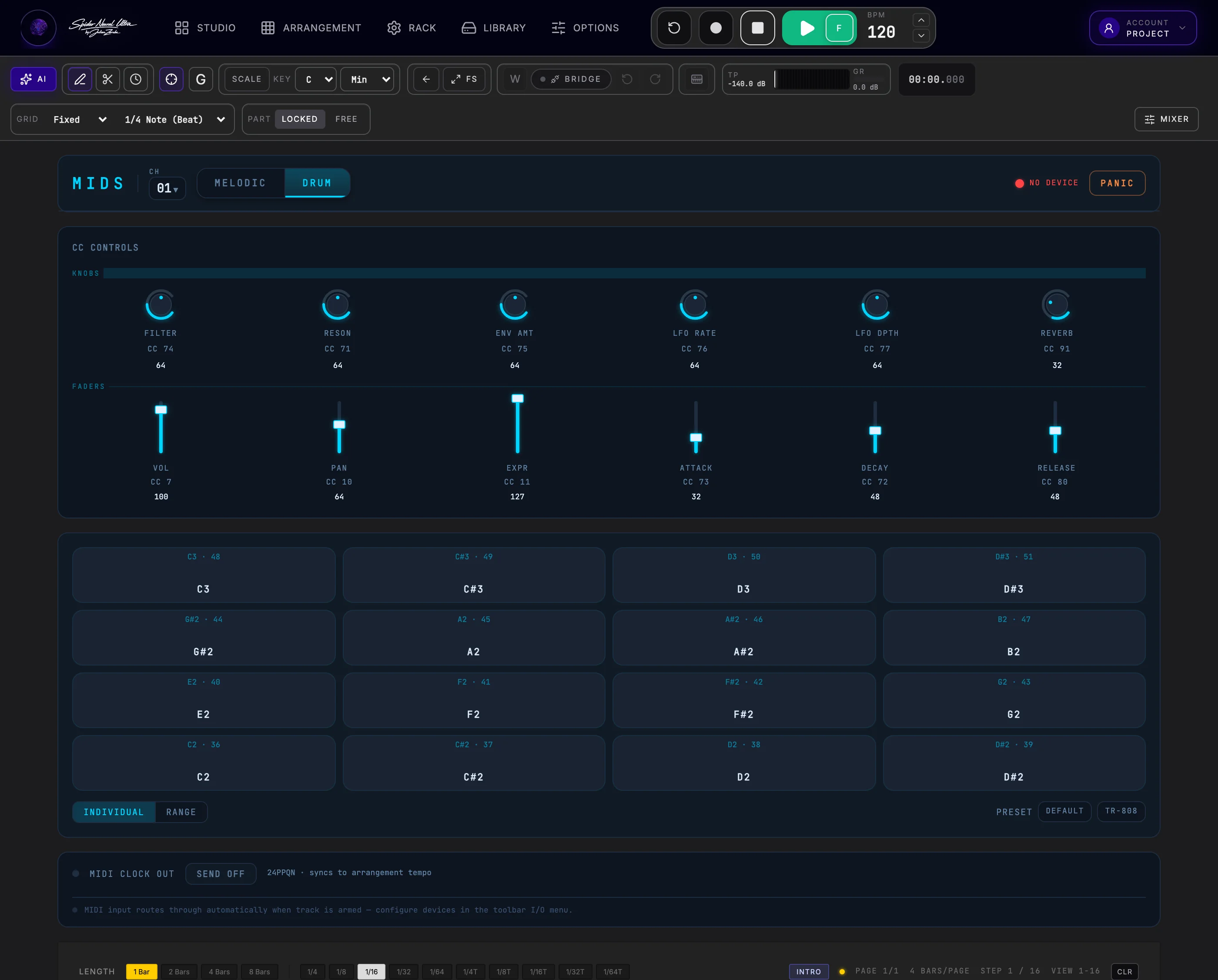
Play and sequence your external gear — CC knobs and faders, pads, chord mode, arp and MIDI clock out.
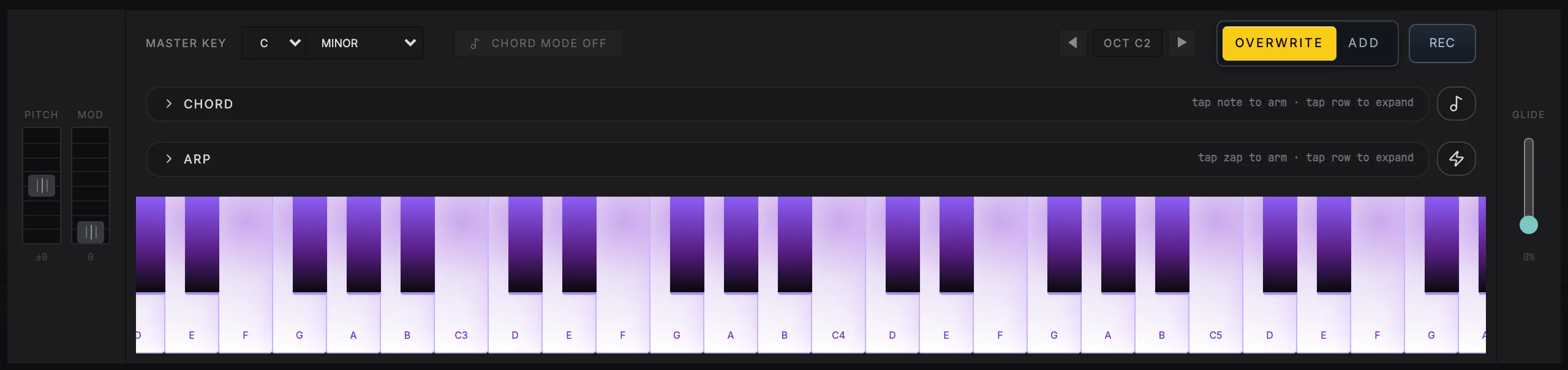
Pitch bend, mod wheel, a full velocity-sensitive keyboard and glide sit under the panel on all nine melodic instruments, ready to play or record straight into the Part.
Stay inside the song
Shape the mix without breaking your flow.
Every instrument arrives on its own mixer channel, ready for filters, EQ, compression, drive, sends, automation and inserts. Build the space, shape the master and finish through the HD Limiter — all inside the session where the song began.
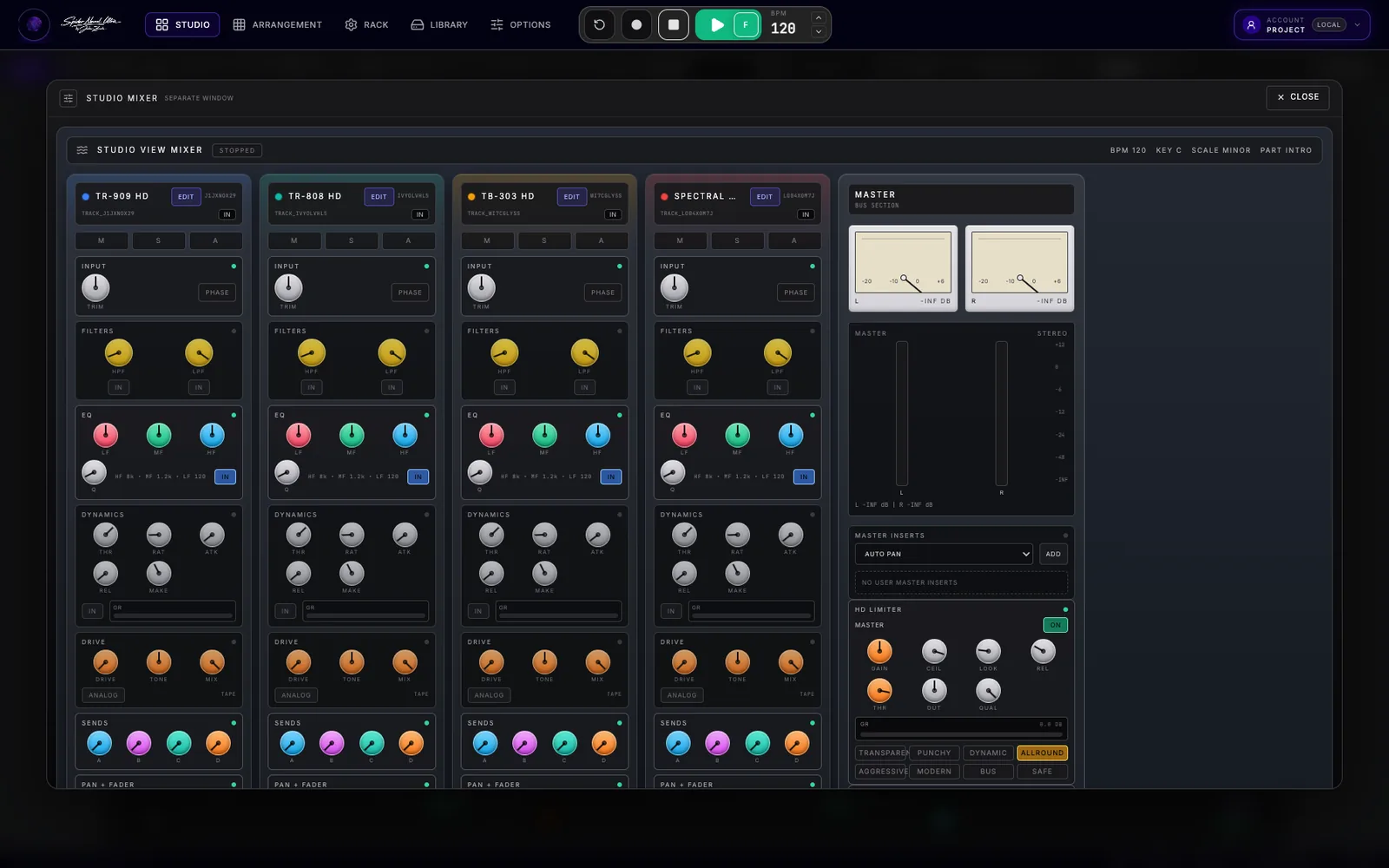
TRACK STRIPSInput · Filters · EQ · Dynamics · Drive · Sends · Pan · Fader
MASTERUser inserts · Stereo metering · HD Limiter · Master fader
The effect room
Thirteen effects, each made to be shaped.
Open an effect and you get a dedicated panel with the controls, metering and character choices to make the sound your own. And before you add one, every channel already gives you filters, EQ, dynamics, drive and four sends.
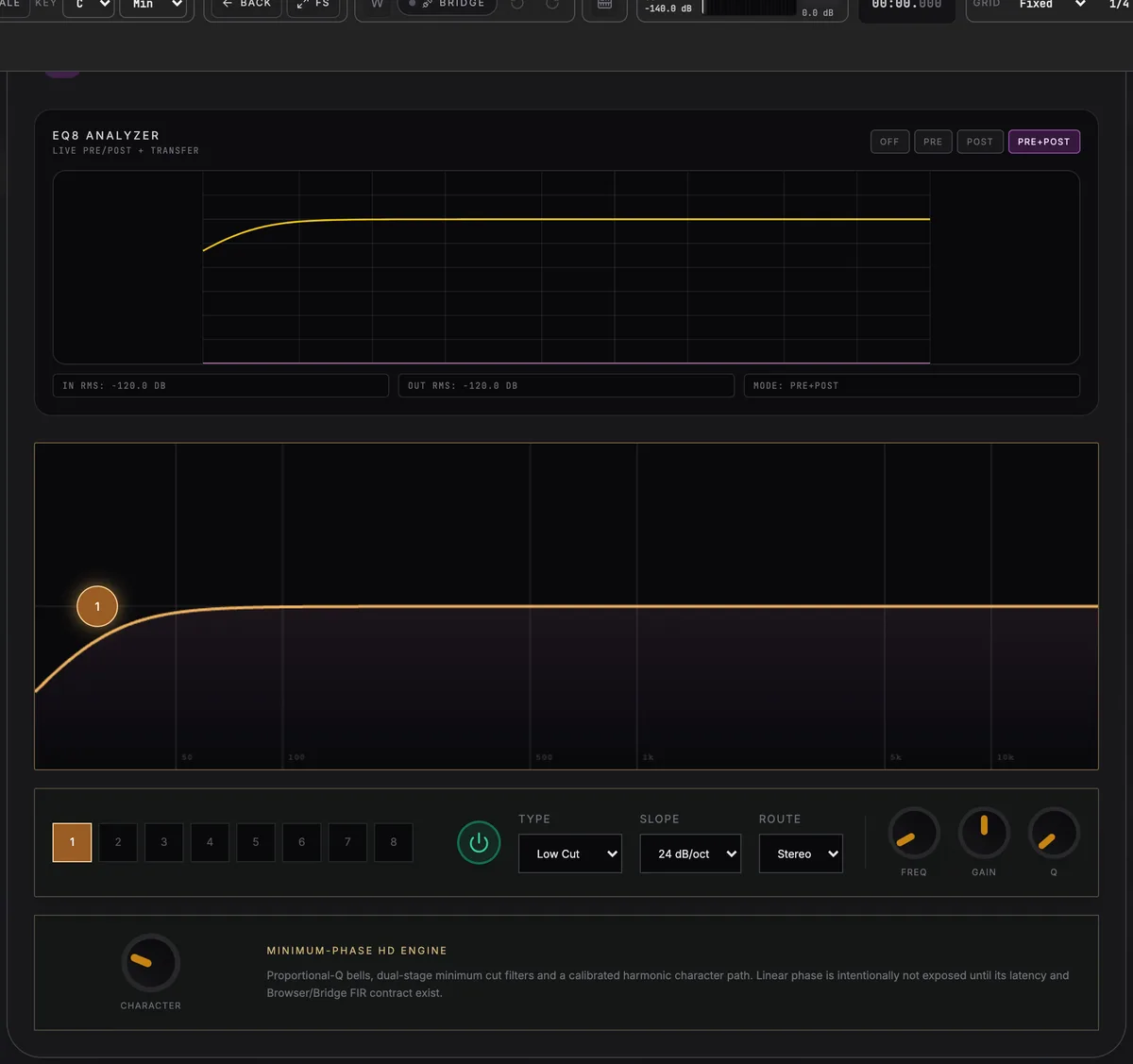
EQUALISATION
EQ8
Eight bands with a live pre/post analyzer, per-band type, slope up to 24 dB/oct, and stereo, mid, side, or single-channel routing.
More ways into the music
Play it. Sequence it. Ask Spider to help you move.
Not every track begins with a mouse. Spider connects performance, external MIDI hardware and focused AI assistance directly to the same Parts and clips that build your Arrangement.
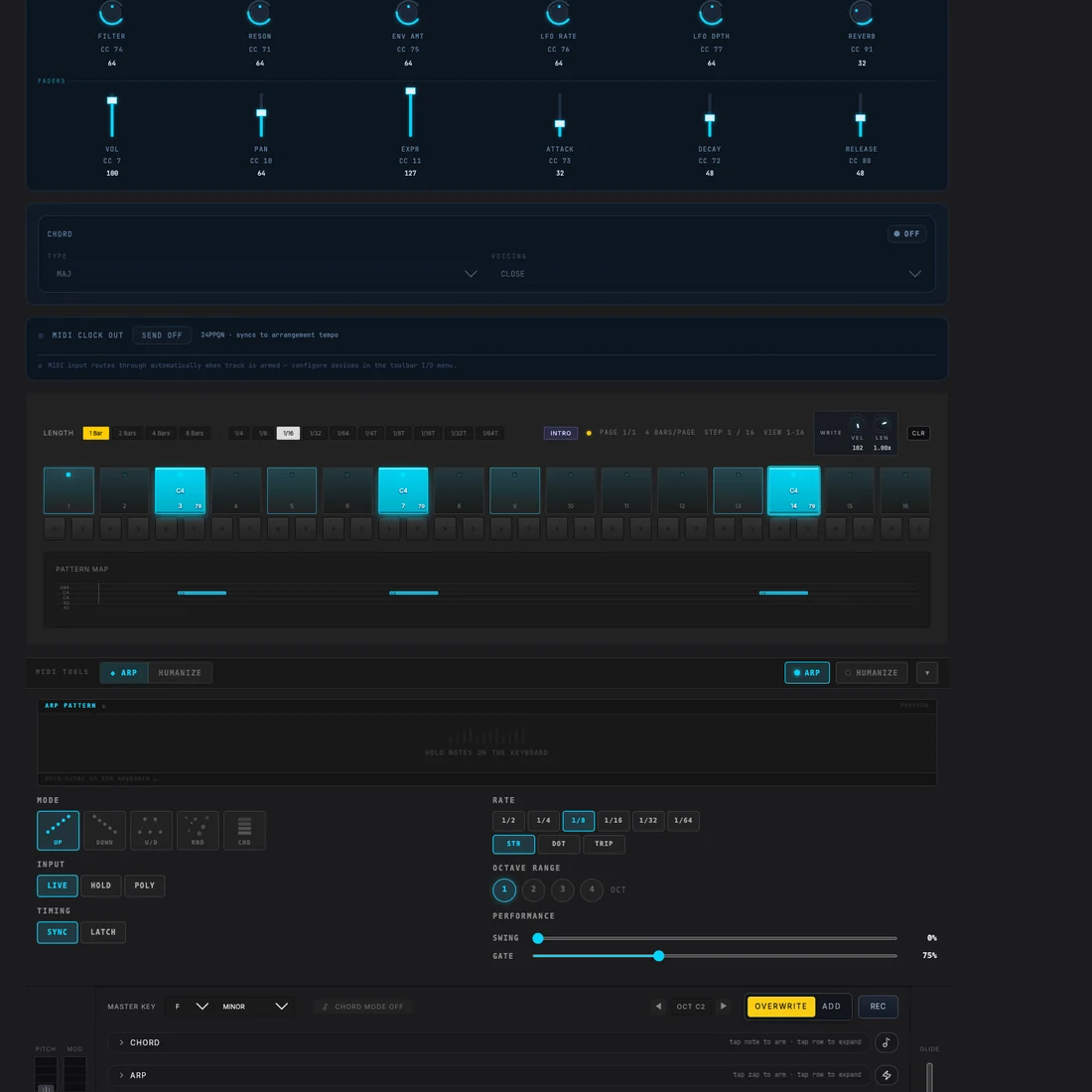
MIDS
Your hardware becomes part of Studio Flow.
Route and record external MIDI instruments with pads, keyboard, CC controls, chord mode, arpeggiator, humanizer, MIDI clock and its own step-sequencing workflow.
SPIDER AI
Get past the blank clip without giving up control.
Generate instrument-aware drum and melodic patterns, explore sound directions and draft Part structures inside the project you are already producing.
- Patterns shaped for the selected instrument
- Melody and preset assistance
- Song and Part structure drafts
AI assists the workflow; current product truth does not promise an autonomous, mix-ready finished song.
Bring your own sound
Bring compatible VST3 plugins into the Spider workflow.
At a supported desktop setup, the optional Spider Bridge connects compatible VST3 instruments and effects to the project already open in your browser — alongside Spider's built-in sounds, Song Parts, mixer and Arrangement.
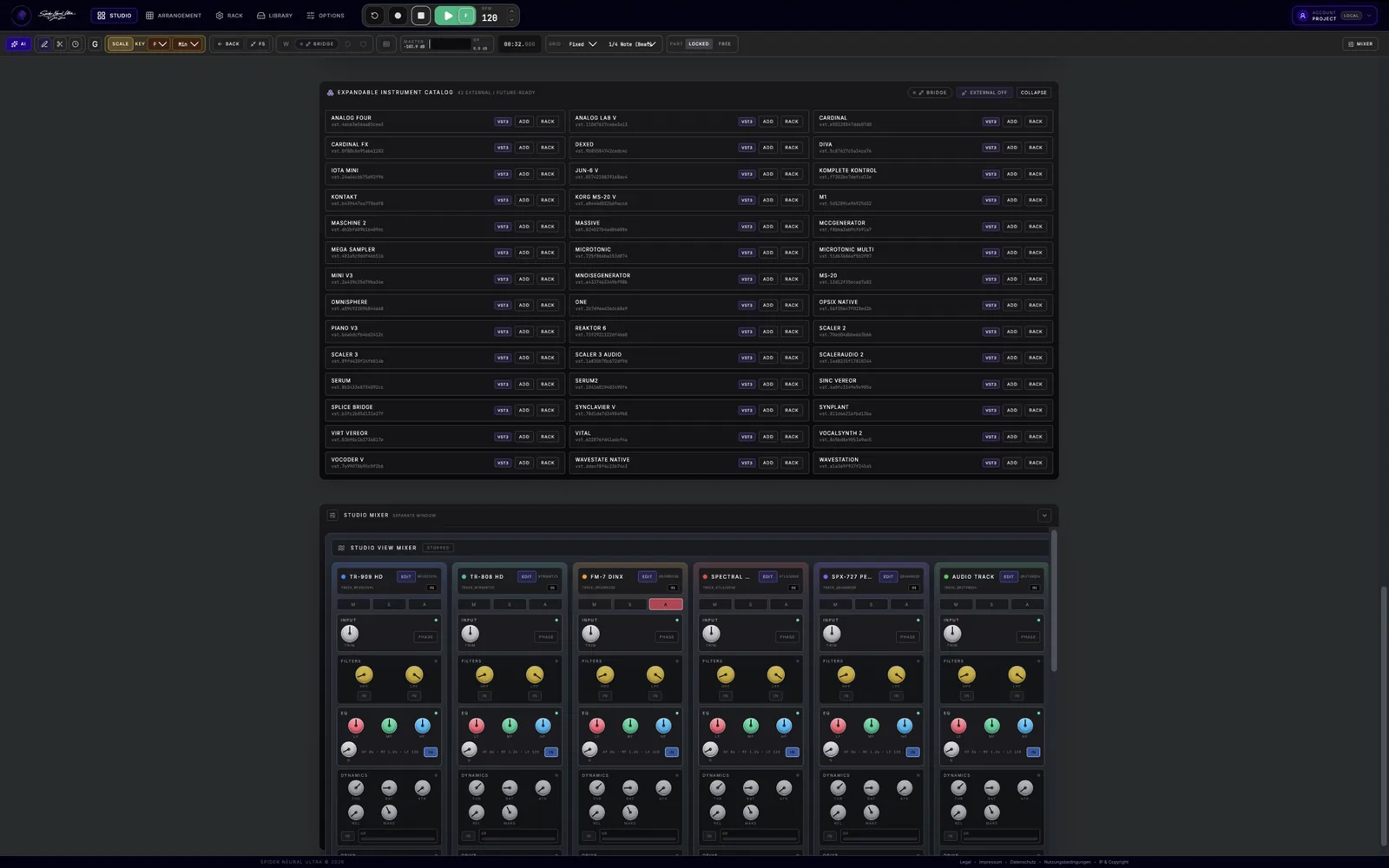
YOUR INSTALLED VST3 PLUGINS
Add familiar instruments and effects when you return to your desktop setup.
Spider Bridge is optional and compatibility varies by plugin, operating system and setup. Use it with combinations verified for your system.
Start free · expand with Pro
Make the track first. Grow the studio when you need more.
Start with Spider's core production workflow and discover what Studio Flow changes for your music. Pro is planned to add Bridge access, larger cloud capabilities and an expanded selection of instruments, effects and AI tools.
Create with Studio Flow, Parts, Arrangement and a useful built-in production setup.
Bridge is confirmed as Pro. The wider Cloud, instrument, FX and AI boundaries will be shaped with early-user data.
Plans, limits and pricing are still being finalized. No detailed entitlement shown here is a purchase promise.
Online DAW · answered
A browser studio that goes beyond sketching ideas.
Spider Neural Ultra is an online DAW for making complete tracks: sequence the first beat, shape MIDI and audio, build the Arrangement, mix and export — without leaving the production workflow.
What is an online DAW?
An online DAW is a digital audio workstation that runs in a web browser. Spider lets you sequence, record, edit MIDI and audio, arrange, mix and export inside its browser-based studio.
Can I make complete tracks in Spider Neural Ultra?
Yes. Studio Flow, Song Parts, Arrangement, detailed MIDI and audio editing, built-in instruments, effects, mixing and export stay connected in one production workflow.
Does this online DAW work on tablet and mobile?
Spider provides its complete touch-ready production environment on supported tablets and a dedicated, focused creation and performance workflow for phones. Availability depends on the browser and device.
Can an online DAW use VST3 plugins?
Spider's optional native Bridge connects compatible VST3 instruments and effects on supported desktop systems. Compatibility varies by plugin, operating system and setup, and Bridge access is planned for Pro.
Your online music studio is one browser away