
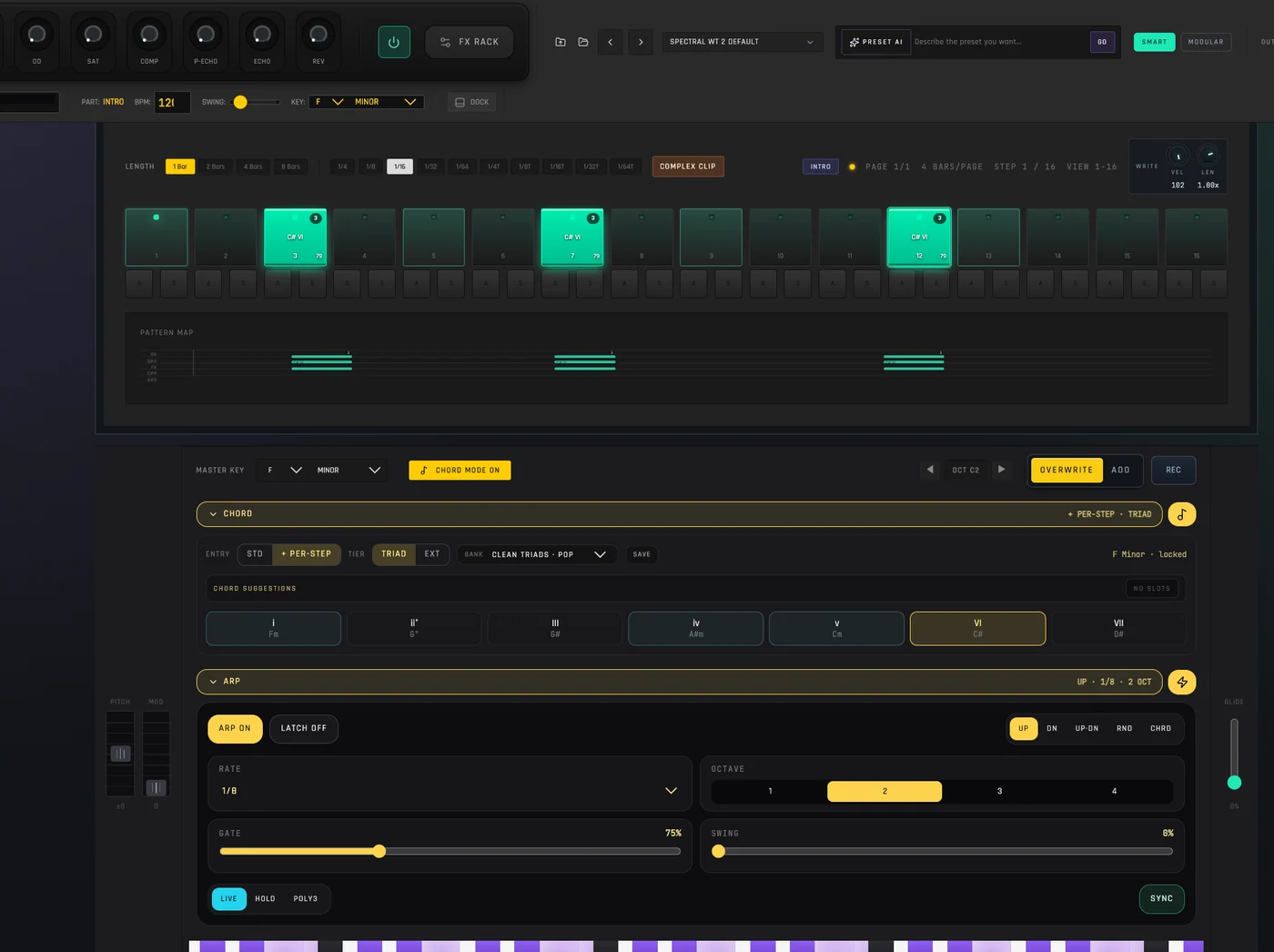
Stay in the selected scale
Scale Lock guides new note entry across Spider’s melodic tools. Newly sequenced notes can snap into key; on the live keyboard, off-scale keys are blocked while the lock is active. Turn it off when you want the full chromatic range.
Apply a scale to a MIDI clip you already made
Open a MIDI clip in the Clip Editor, choose the project key and scale, then press Apply to move existing notes to the nearest scale tones. The change is explicit and editable; merely enabling Scale Lock does not silently rewrite your recording.
Build chords as editable music
Chord tools can expand a note into a voicing or write a chord progression into the clip. These become MIDI events you can edit rather than a sound baked into an audio file. You can still adjust the notes, rhythm, velocity and sound afterward.
Let the idea grow
Play with Spider's synths or route a MIDS track to external hardware where Web MIDI is supported. If you want a different harmonic direction or groove, select the MIDI clip and ask Spider AI to draft a variation for review before Apply.