Click the beat. Shape the melody.
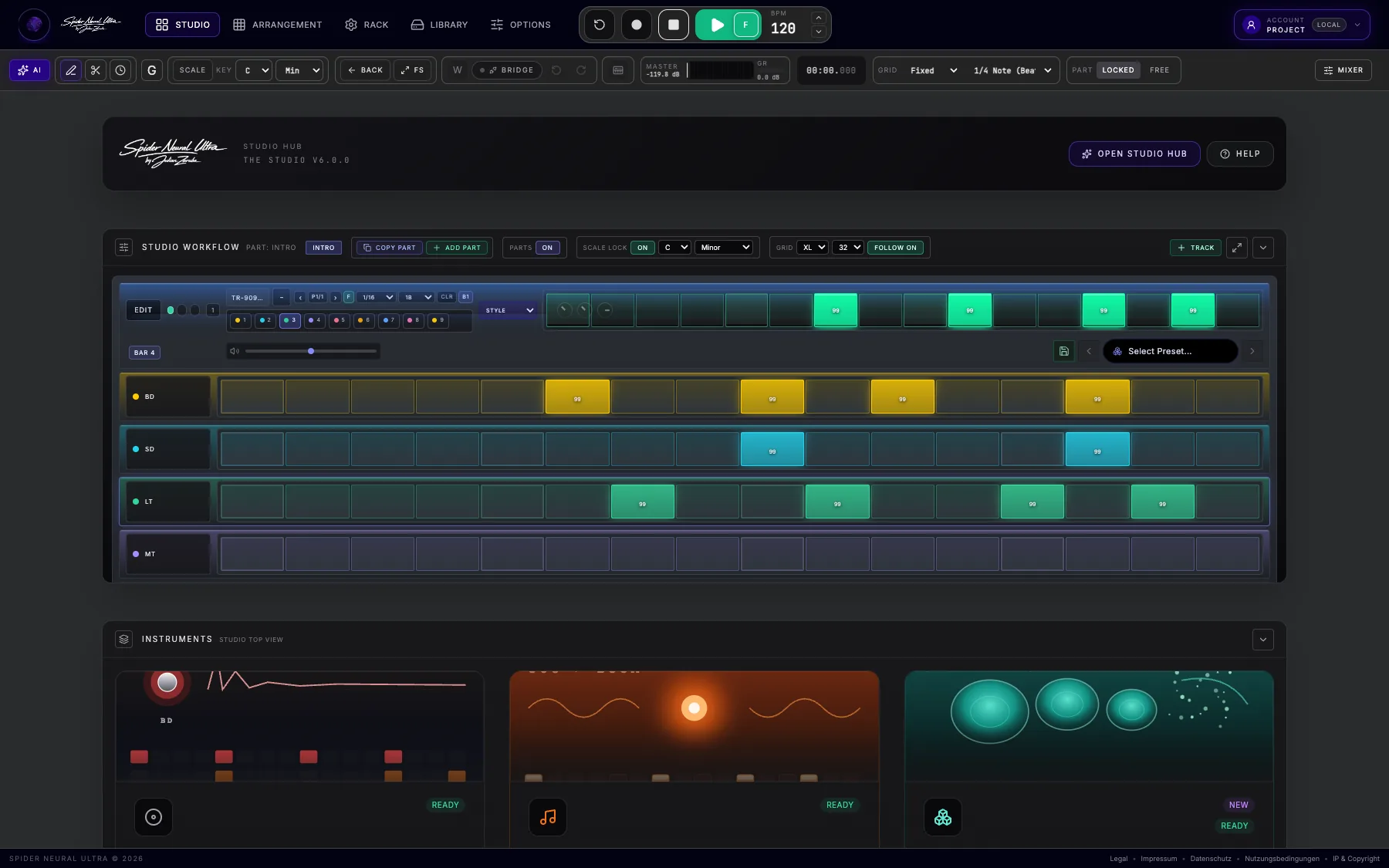
Build drums instantly. Drag melodic steps up or down for pitch and stretch their lengths. Keep expanding the idea without leaving the song.
Explore Studio Flow →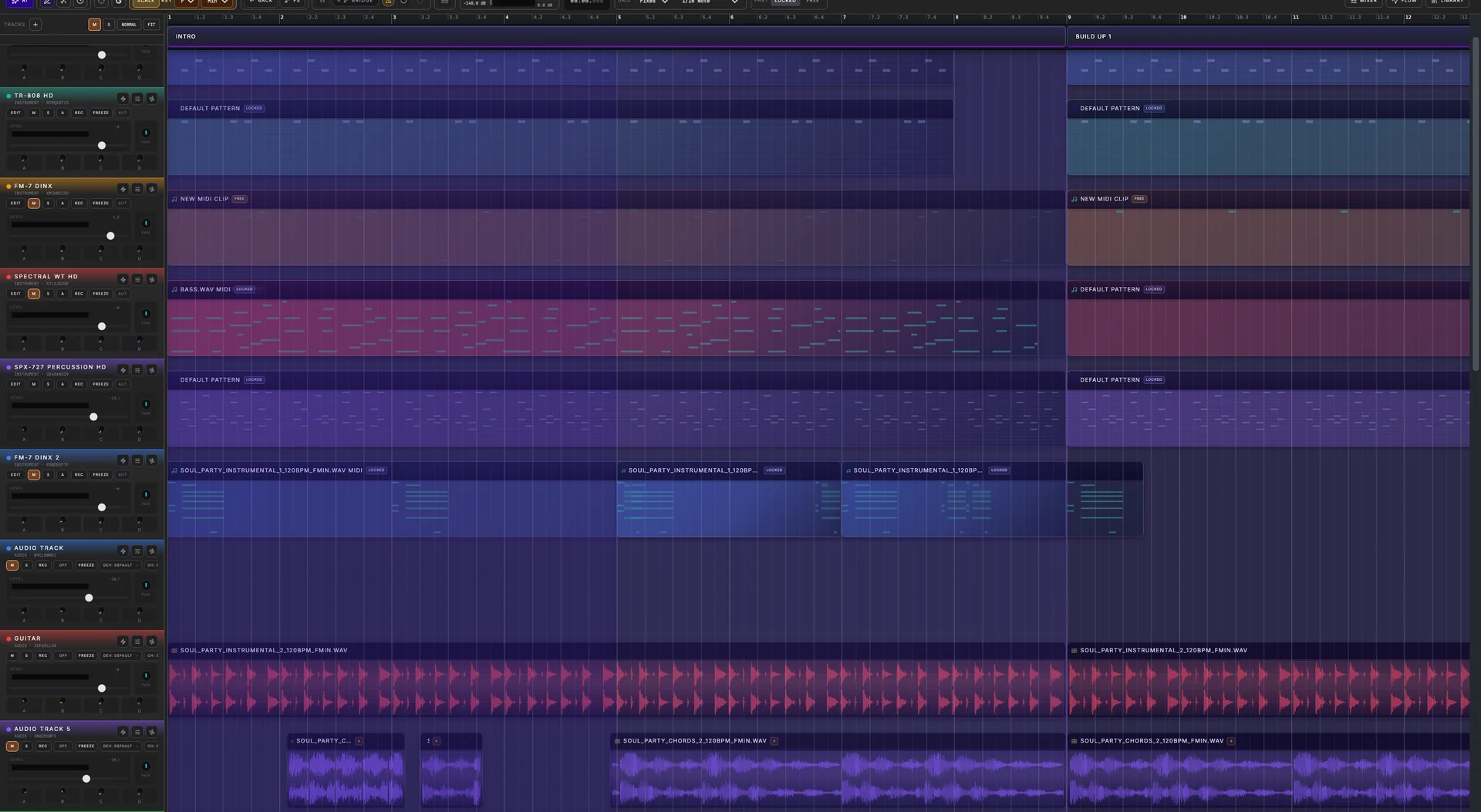
Transform ideas into full tracks instantly with Spider, the ultimate browser-based DAW:
Create your free account. Make music on desktop, iPad or tablet. Explore premium production tools during the beta; AI usage is limited and desktop VST3 Bridge access is available on request.
Built-in instruments
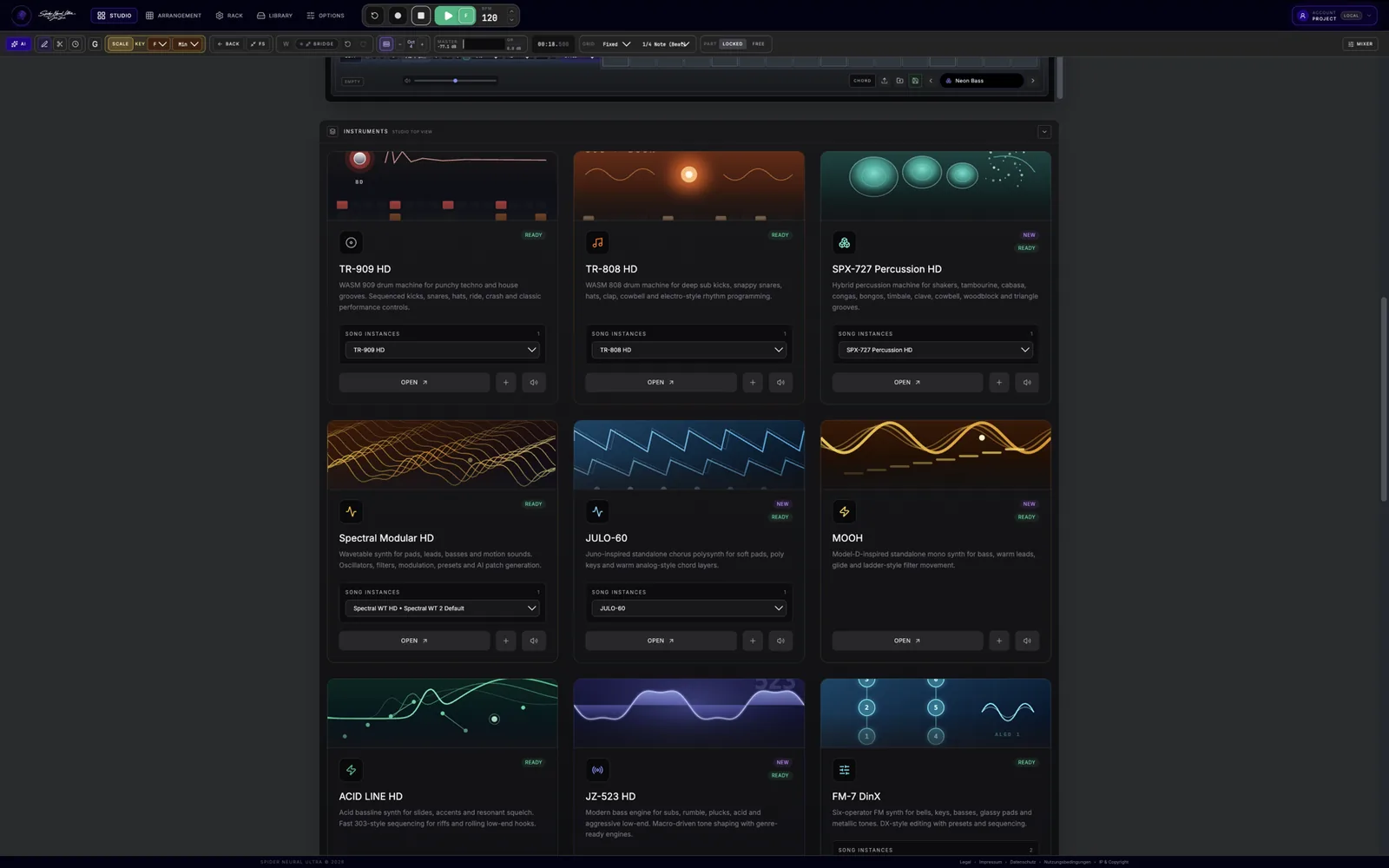
Legendary circuits. A new place to play them. Analog emulated legendary drum machines and synthesizers, rebuilt at circuit level, meet cutting-edge wavetable, FM and granular sound design—all inside your browser DAW. From TR-808 and TR-909 drums to MOOH, JULO-60 and Prospect 5, shape a sound and record it straight into your song. Explore all 13 built-in instruments and MIDI devices.
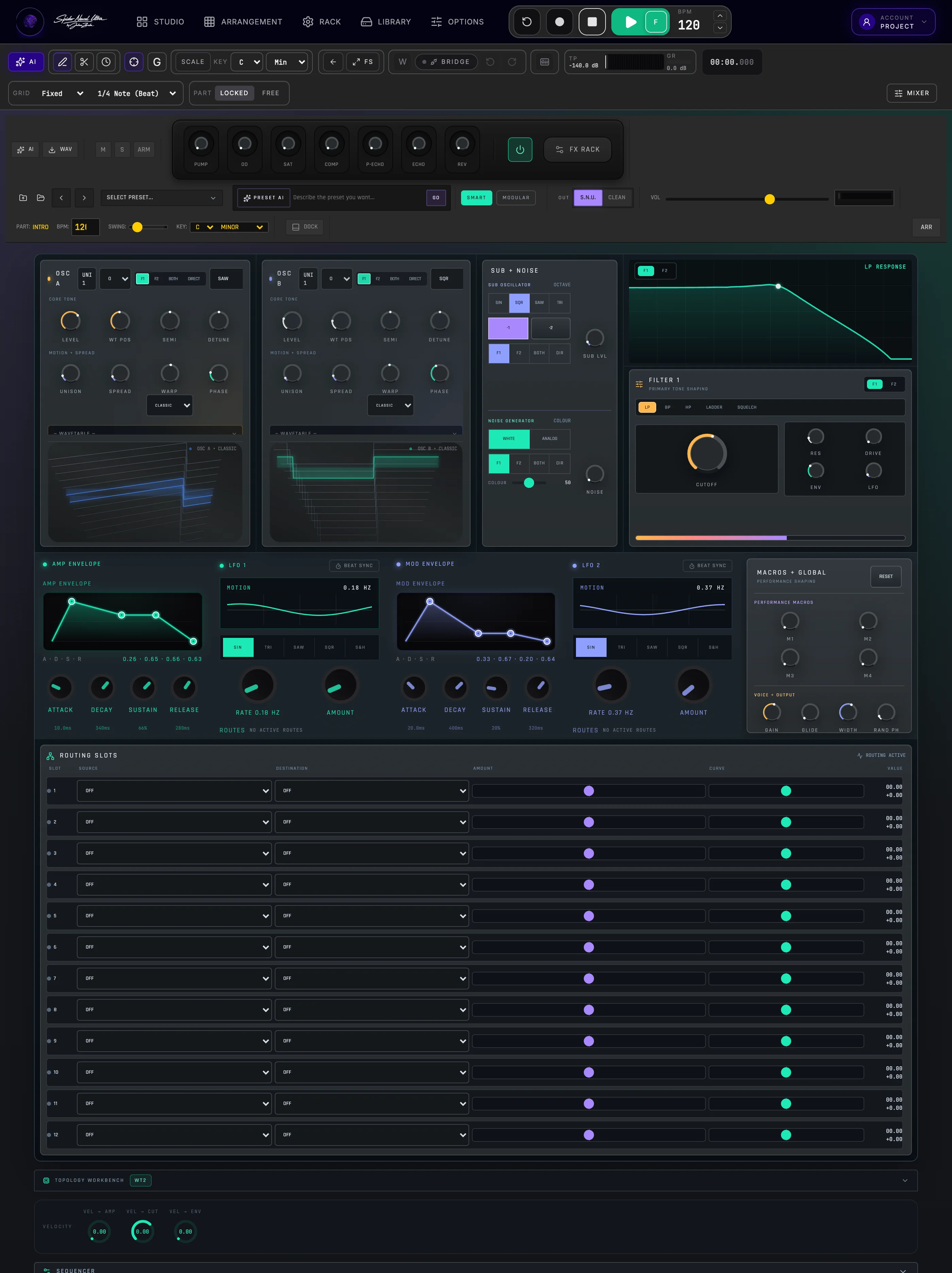
Modern leads, evolving pads, unison detune, and deep modulation. Select wavetables and shape them with LFOs, envelopes and the modulation matrix.
Explore Spectral 2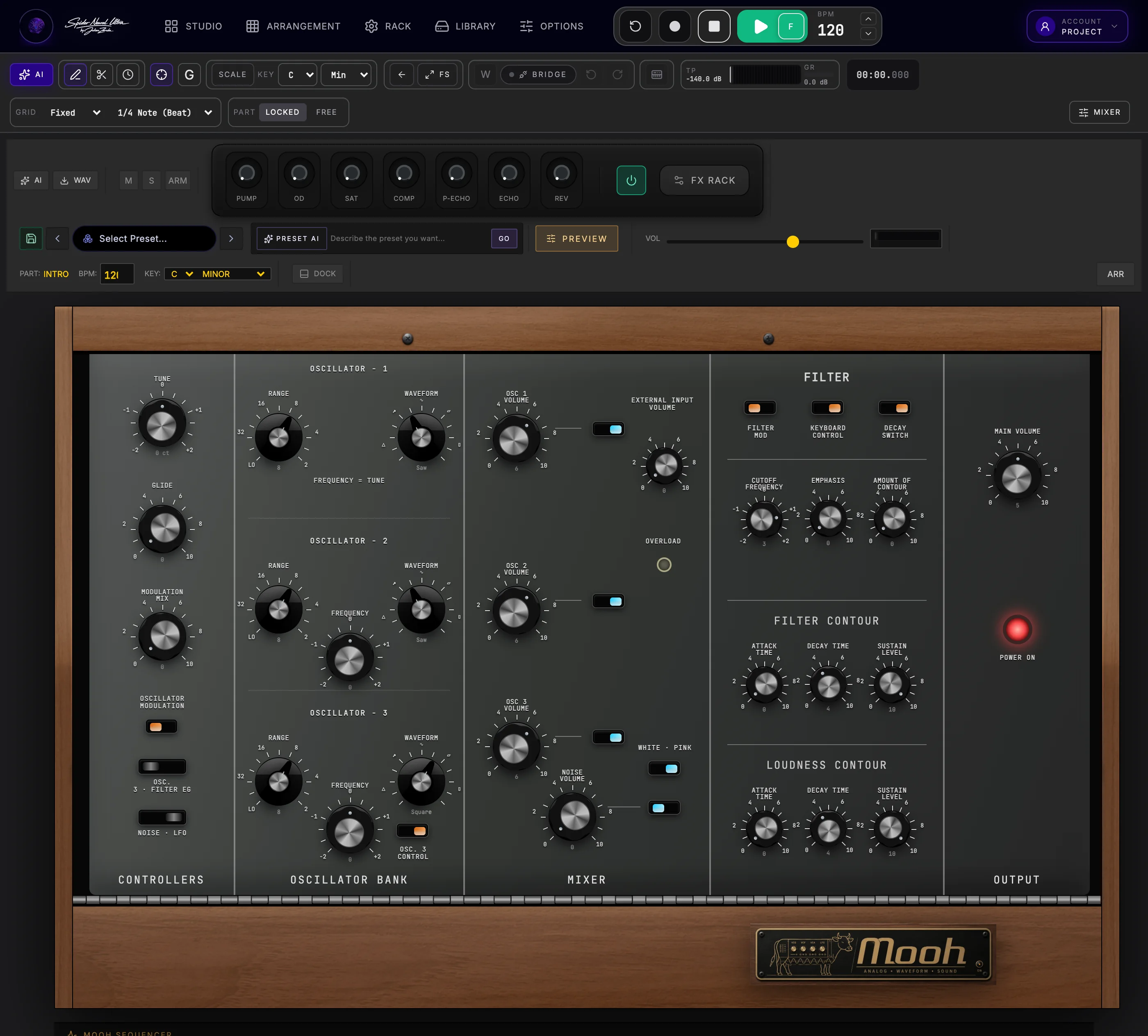
Classic ladder-filter fatness, driving sub-bass, and warm analog leads. Moog Model D emulation brings legendary analog character into your browser.
Explore MOOH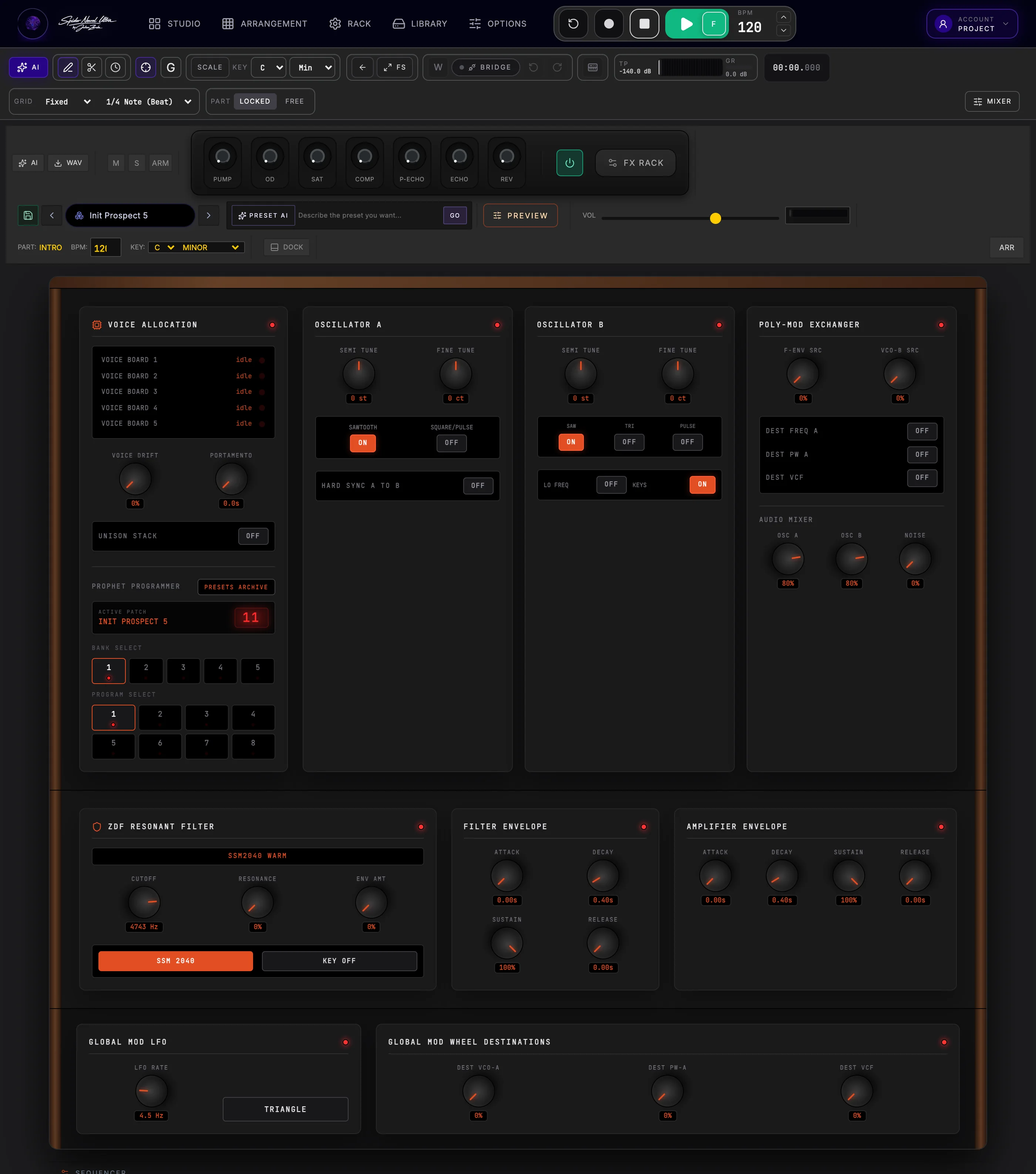
Vintage 80s brass, analog polysynth beds, and expressive poly-mod. Prophet-5 emulation for rich chords, keys and characterful leads.
Explore Prospect 5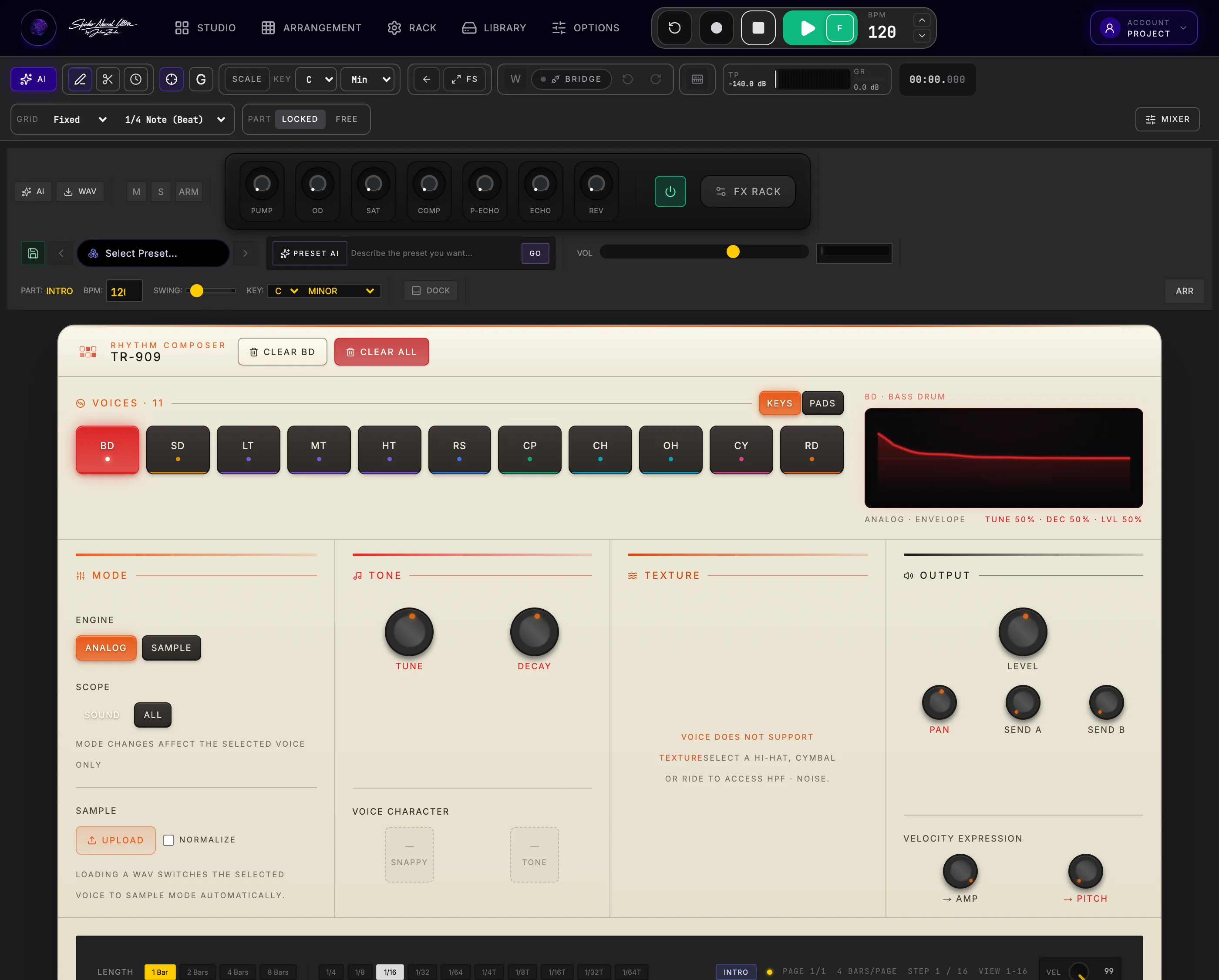
Build club grooves with circuit-modelled kicks, snares, toms, rim shots and claps, plus 6-bit PCM cymbal character. Play illuminated drum pads, shape each voice with hands-on controls and inspect its actual waveform. Switch to your own samples while keeping tone, HPF and noise shaping.
Explore TR-909 HD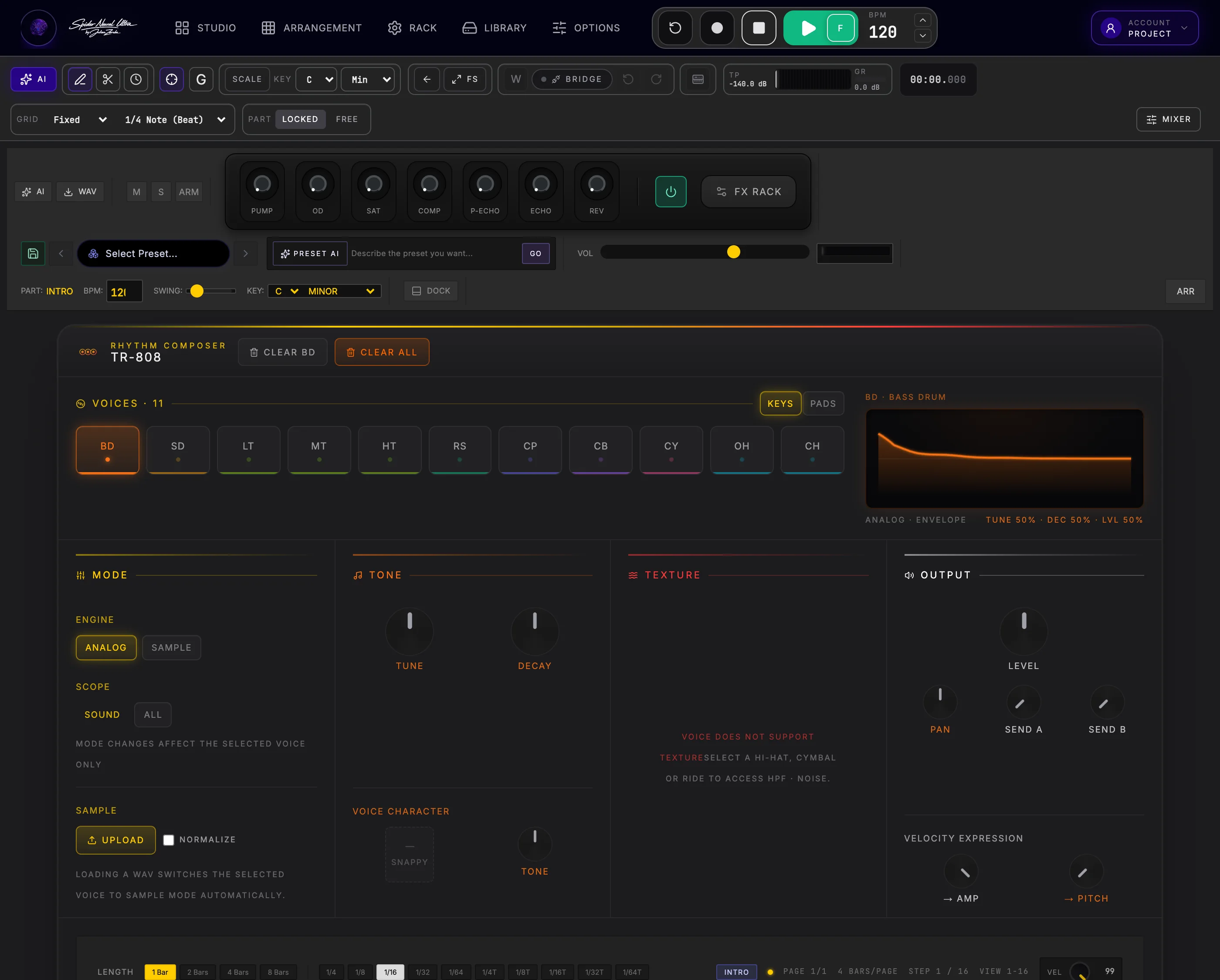
Deep kicks, crisp snares and shimmering hats, rebuilt from legendary analog circuits. Switch toms to congas, rim shot to claves and clap to maracas. Perform on illuminated pads, fine-tune each voice and see its real waveform—or load your own samples and keep every hit editable as MIDI.
Explore TR-808 HD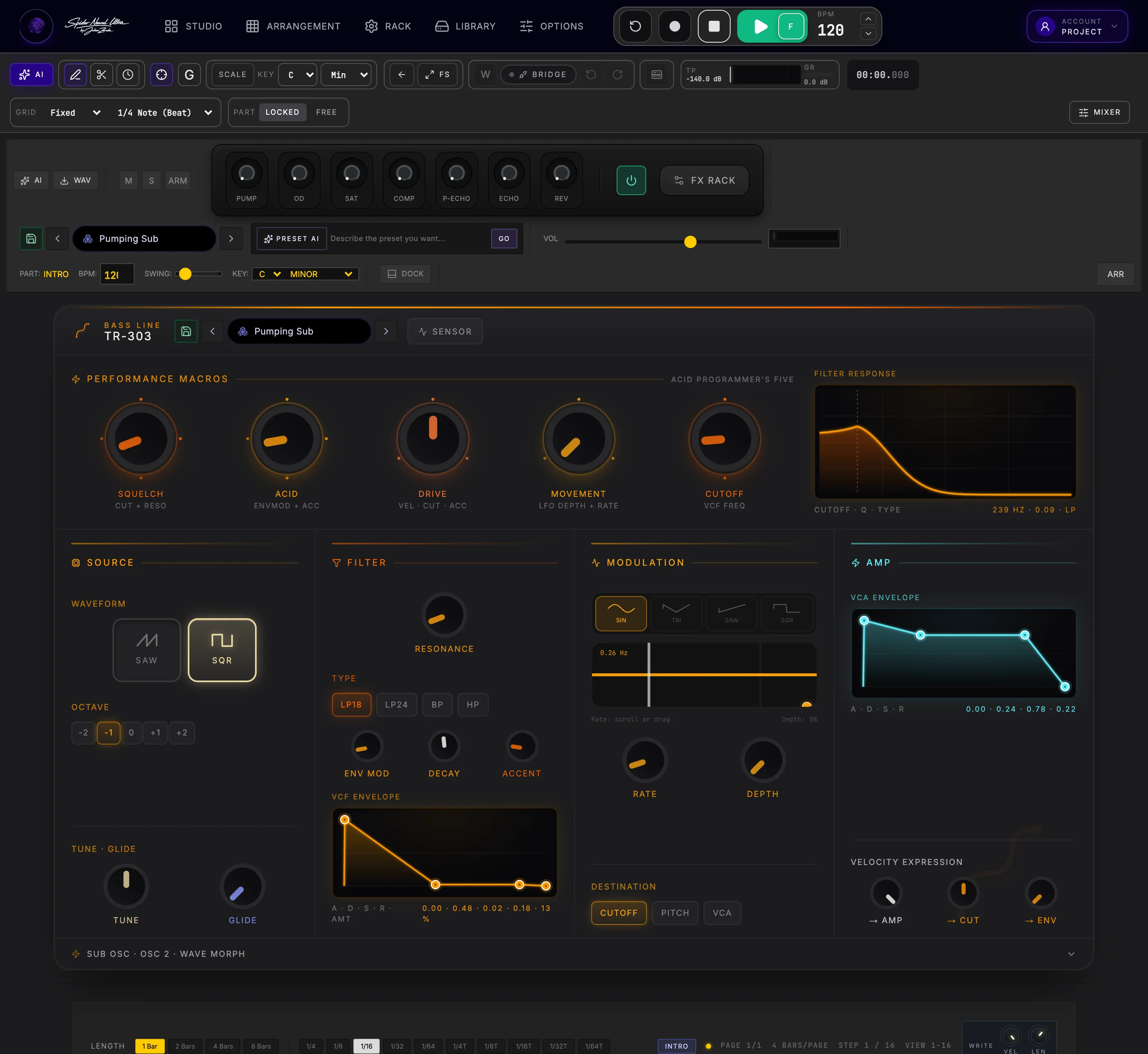
Resonant squelch, authentic slides, accents, and aggressive drive.
Explore TB-303 HD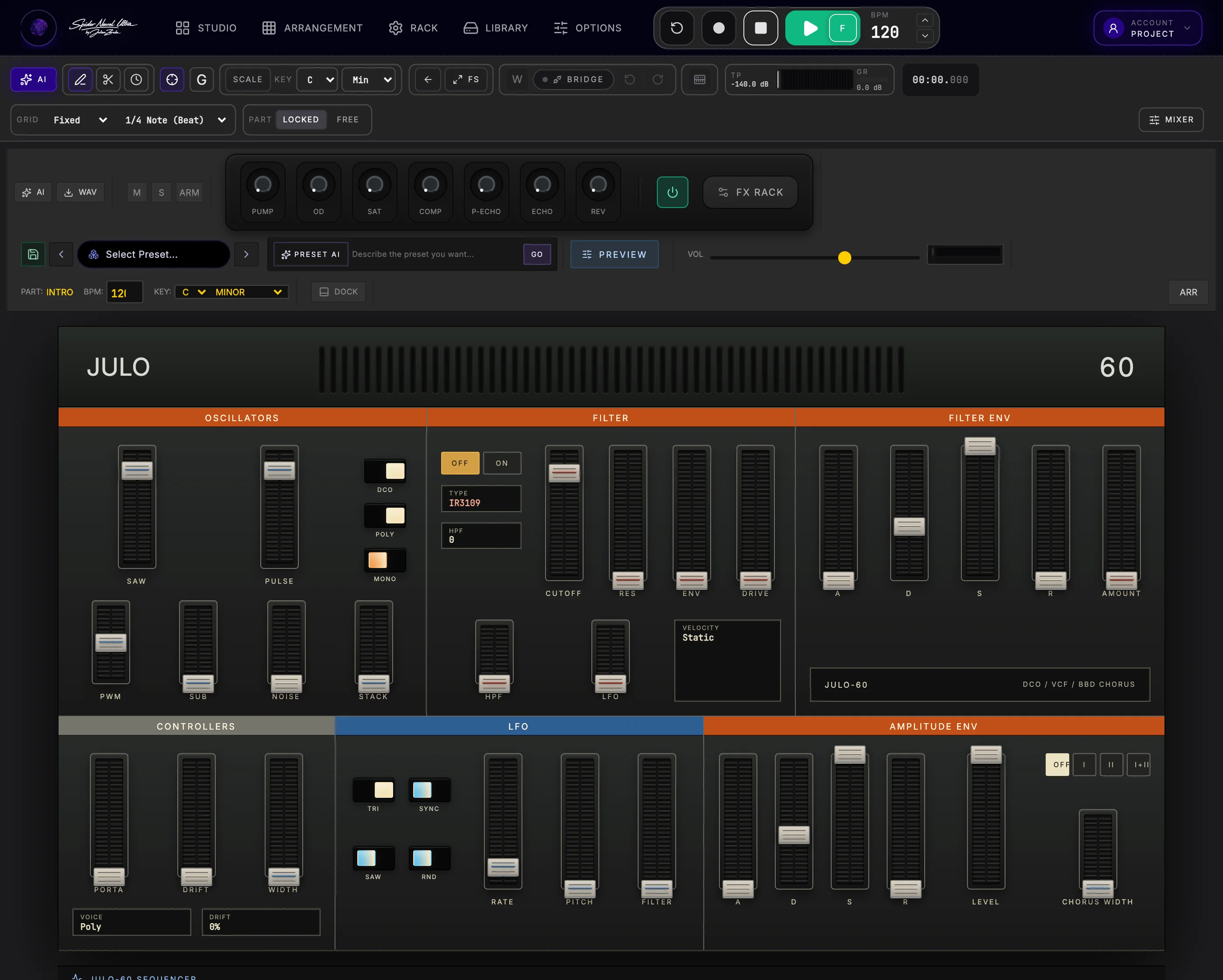
Lush, iconic dimensional chorus pads and shimmering retro keys. Juno-60 emulation for warm chords, expressive leads and unmistakable chorus.
Explore JULO-60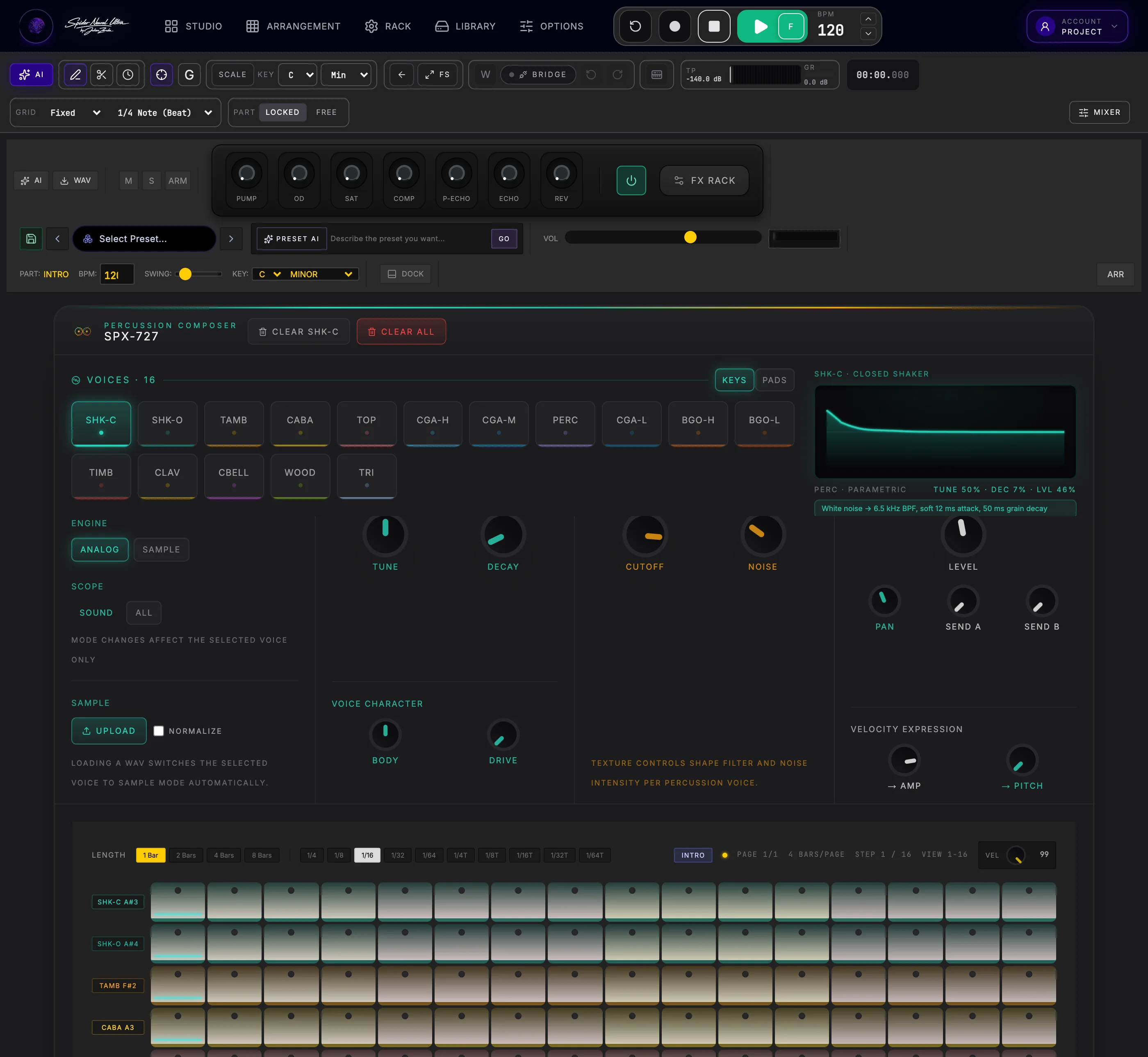
Bring congas, bongos, timbales and shakers into the groove with 16 illuminated pictogram pads. Shape each sound in the organised voice-control bank, inspect its real waveform and sequence every accent as editable drum MIDI.
Explore SPX-727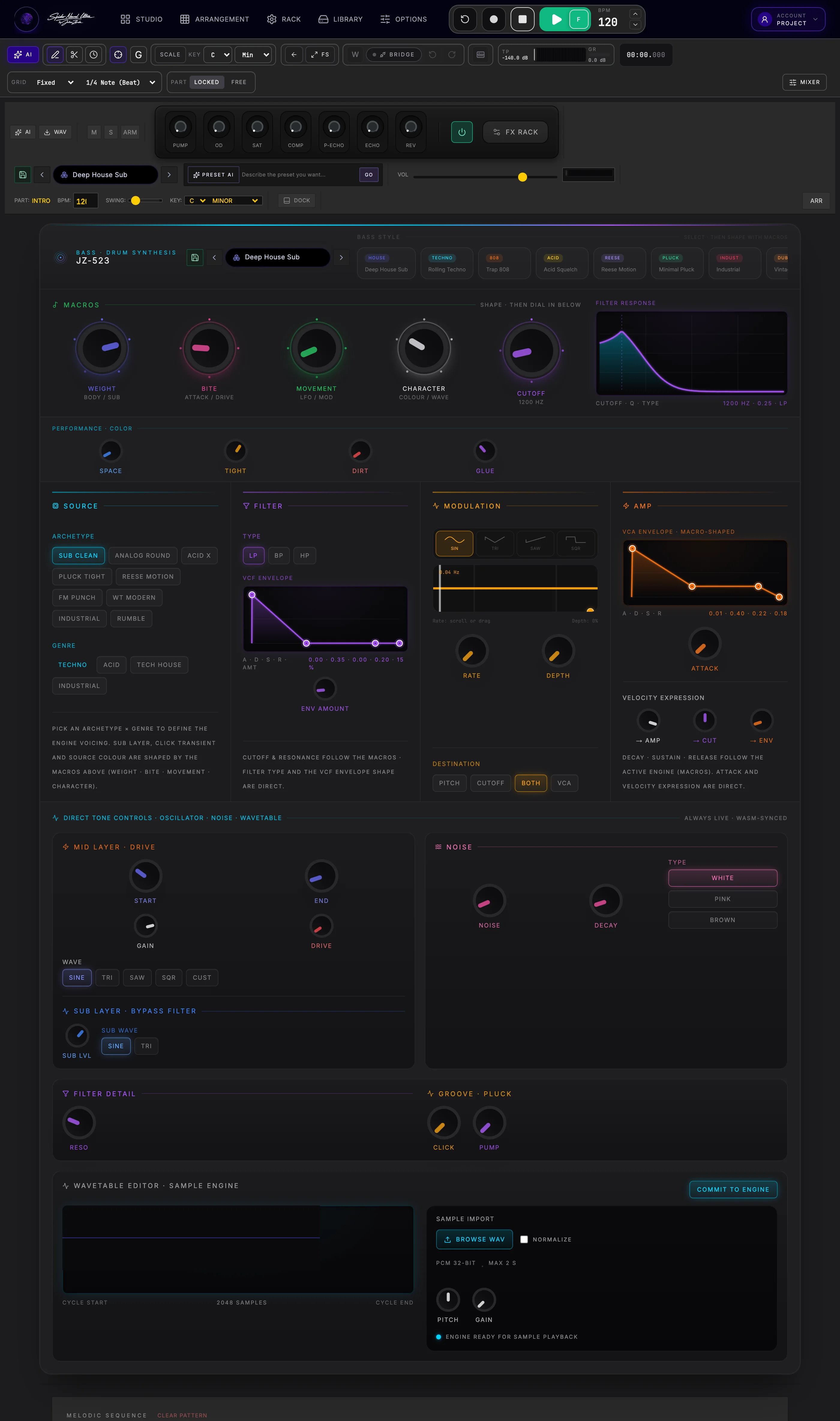
Thirteen club-ready basses and six one-turn macros — the centre is always the preset.
Explore JZ-523 HD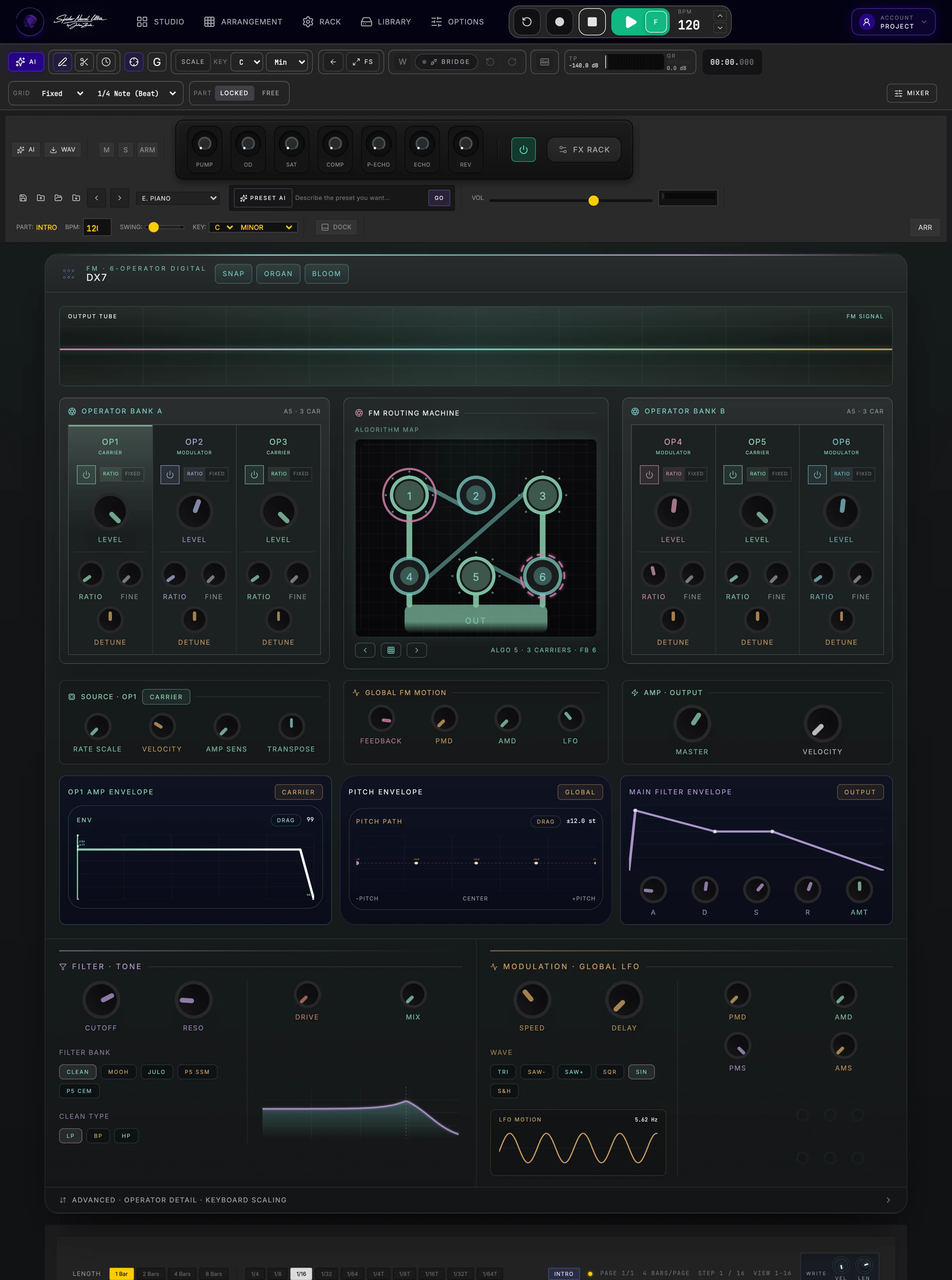
Six operators and 32 algorithms for crystal bells, metallic plucks, and aggressive FM bass. Shape operator envelopes and feedback for deep FM sound design.
Explore FM-7 DinX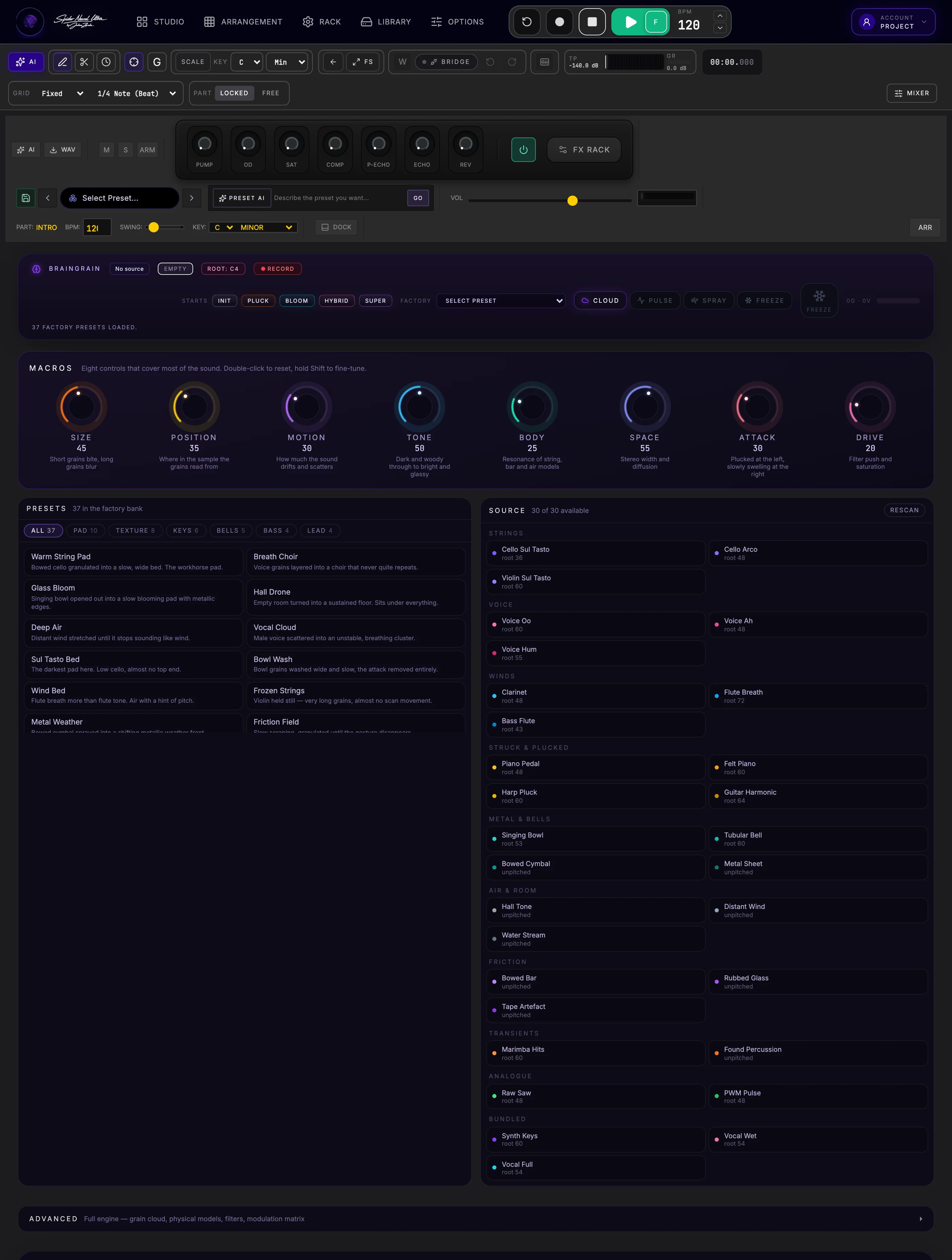
Ambient soundscapes, cloud synthesis, freeze buffers, and textural sweeps. Reshape sample material through grain size, density, position and modulation.
Explore BrainGrain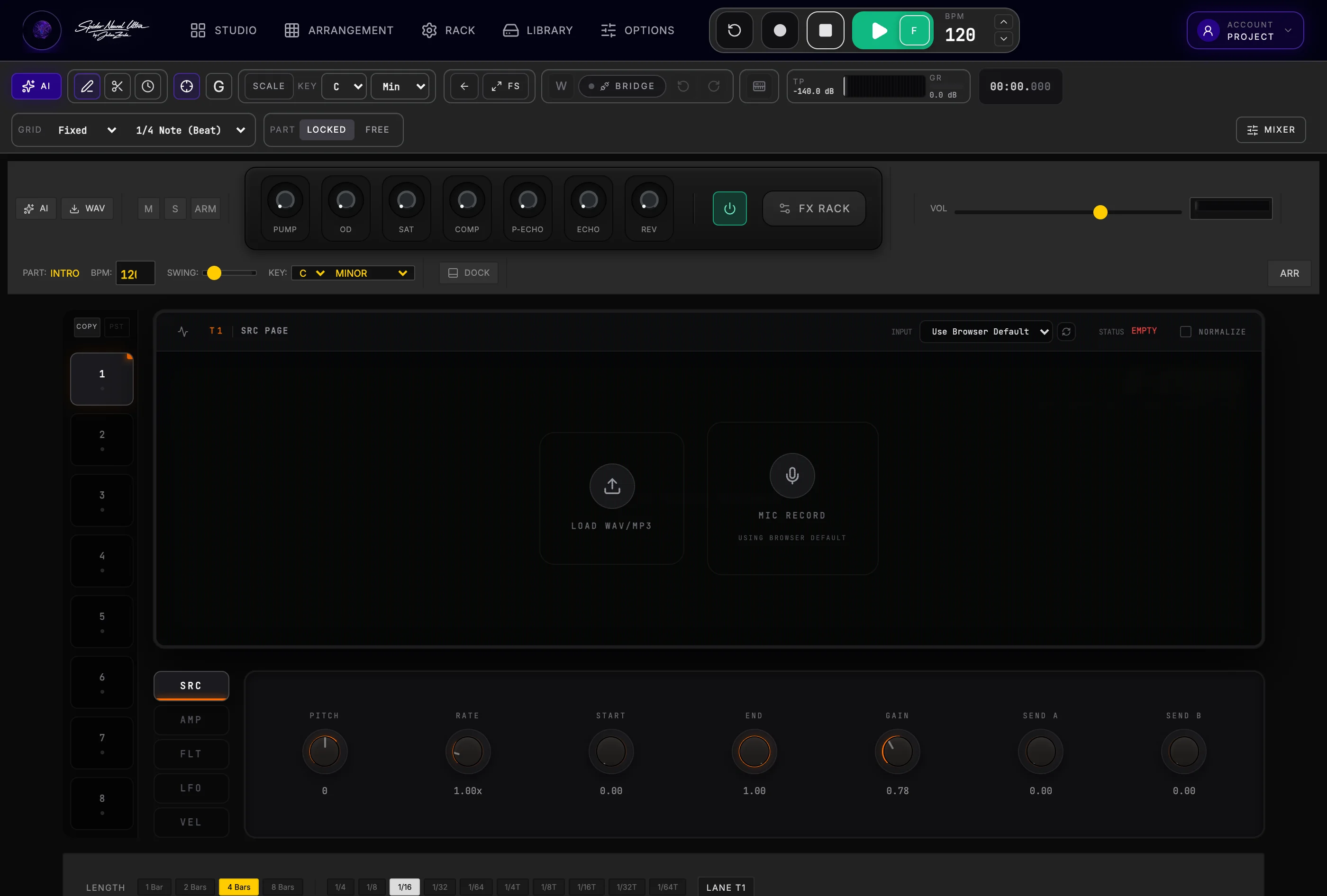
Vocal chops, multi-sample kits, one-shot slices, and transient triggers.
Explore Eightcross HD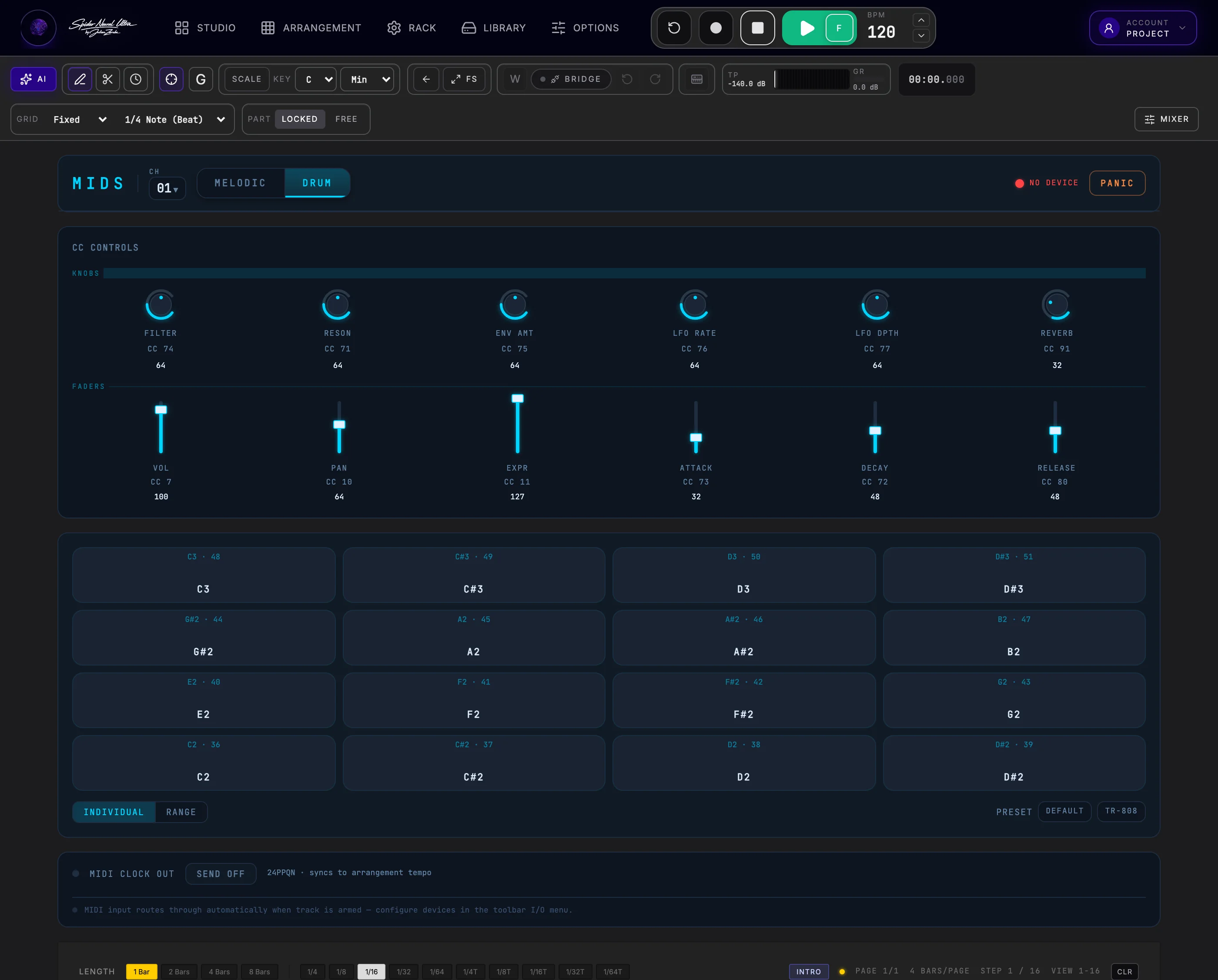
Direct browser-to-hardware MIDI routing with CC mapping and clock sync.
Explore MIDS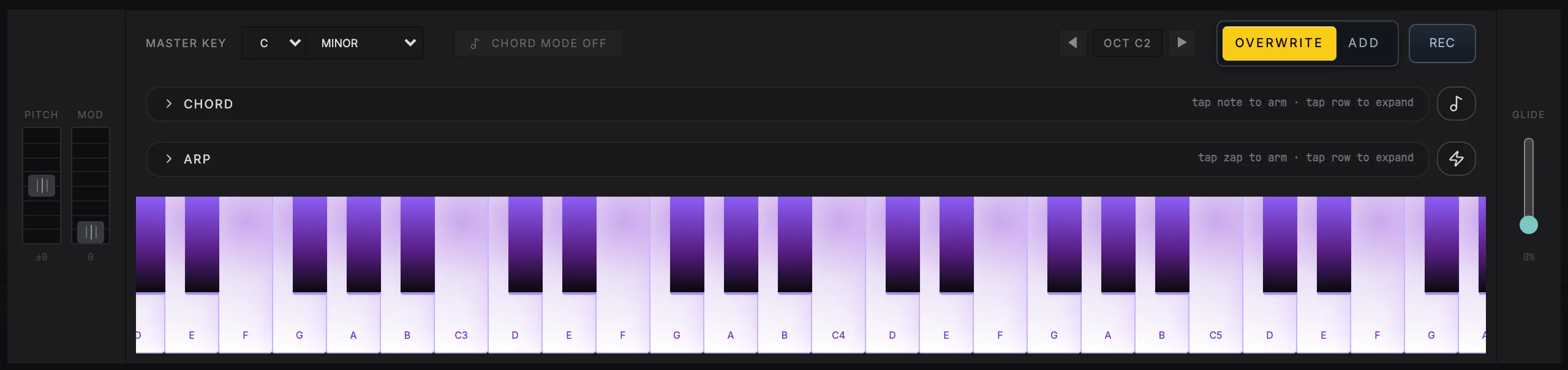
Pitch bend, mod wheel, a full velocity-sensitive keyboard and glide sit under the panel on all nine melodic instruments, ready to play or record straight into the Part.
Produce · record · arrange without limits
Transform a spark of inspiration into a fully finished, release-ready record. Spider combines the effortless speed of a modern step sequencer with the raw power, sub-10ms low latency, and deep editing of a desktop studio—powered by Web Audio API and next-generation AI.
Build drums instantly. Drag melodic steps up or down for pitch and stretch their lengths. Keep expanding the idea without leaving the song.
Explore Studio Flow →Create whole song ideas, multi-track Parts and custom presets from text. Every MIDI note, instrument track and synth parameter remains yours to shape.
Meet Spider AI →Record vocals, live guitars and finger-drumming with sub-10ms low latency through Spider's Web Audio API engine.
Explore audio recording →The optional native 64-bit VST3 Bridge runs your installed instruments and effects locally on your computer's CPU.
Explore Spider Bridge →Record multiple audio channels, convert audio to MIDI, or chop takes into Eightcross HD, Spider's built-in 8-lane sampler.
Explore recording and sampling →Produce and record together into the same shared timeline. Follow live edits and cursors while keeping your own local playback.
Produce together →| Feature | The browser preconception | Spider Neural Ultra reality |
|---|---|---|
| Audio latency | “Too much buffer lag for real-time play.” | < 10ms round-trip latency via optimized Web Audio buffer management and low-overhead drivers. |
| VST & plugin support | “Browser DAWs can't host real plugins.” | Native 64-bit VST3 Bridge running locally on your hardware, bringing desktop plugins into the browser workflow. |
| Audio tracking & sampler | “Only suitable for dropping in static loops.” | Multi-channel recording, inline audio editing, direct Audio-to-Sampler chopping and neural Audio-to-MIDI. |
| AI generation | “Black-box audio renders you can't edit.” | AI creates real MIDI clips, discrete instrument tracks and editable synth parameters inside your session. |
| Online collaboration | “Sending stems back and forth via chat.” | Record and edit worldwide in one shared session with independent local playback. |
One studio · three ways in
Make music on your iPad or tablet with the full touch-ready browser DAW—not just a remote control. Tap drum pads, draw a melody, shape synth sounds and arrange a complete track. Continue the same cloud project on desktop or phone.
Deep audio and MIDI editing, multi-channel I/O, modular rack routing, full mixer channel strips, native VST3 Bridge and professional mastering.
Sequence, design sounds, and arrange directly with your fingers.
Lay down drum patterns, record sketches, and shape ideas on a focused on-the-go interface.
Studio Flow
Your free online beat maker is already a complete studio. Start with a drum pattern, click in a melody, then drag pitches and note lengths with your fingertips. Choose a scale and keep the idea in key. The sequencer-based Studio Flow is the fastest way to create new beats.
Click steps to place kicks, snares and hats. Extend the pattern when the groove needs more room.
Tap a rhythm, drag notes up or down for pitch and stretch note lengths. Choose your key and scale; Spider keeps the notes in tune.
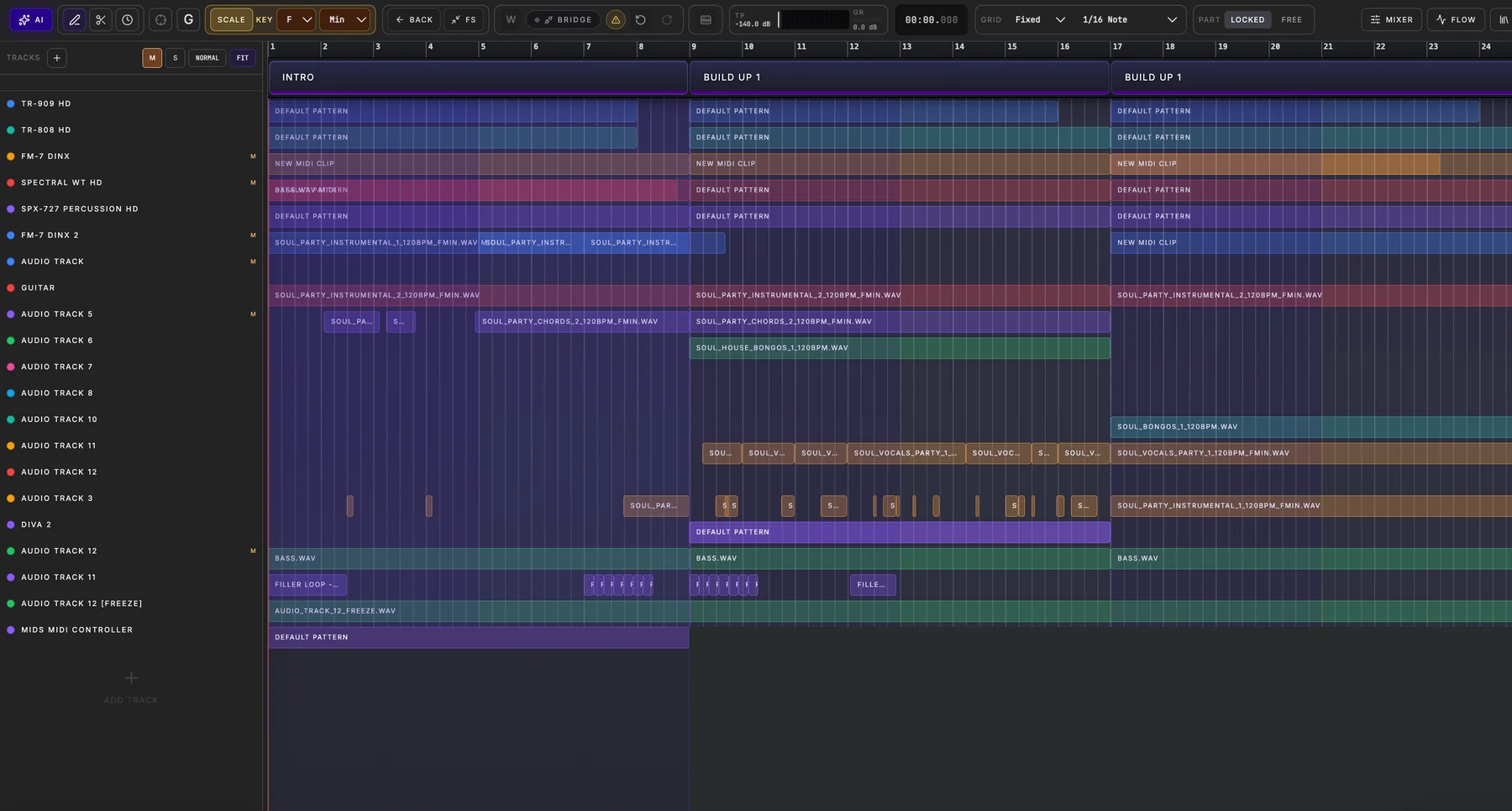
Shape an Intro, Verse, Build or Drop independently. Jump into Arrangement or use Free mode when the idea needs total freedom.
In Part Locked mode, steps write directly to the active Part's MIDI clip. The same notes are already waiting in Arrangement.
Watch the clip write itself
In Part Locked mode, the sequencer writes straight into the active Part's MIDI clip. Move to Arrangement and the kick, snare and hats you just created are already there — ready to shape from either view.
Structure when it helps. Freedom when it does not.
Copy a finished Part and the next variation is already halfway there. Or switch a track to Free mode, follow the unexpected idea, and bring it into the song when it feels right.
Spider AI · in the project, not beside it
Breakthrough MIDI and preset-composing AI, integrated seamlessly into your producer workflow. Every generated idea, clip or track stays open and editable on MIDI, track, instrument and preset levels. Your music is a session you can produce—not a flattened audio file.
Select any MIDI clip you played or sequenced. Ask for deeper groove, passing chords, melodic counterpoints or a resolved hook. Audition the preview before committing.
Explore AI MIDI editingGenerate an Intro, Breakdown or Drop. Spider AI coordinates drums, bass, chord progressions and leads across separate tracks, delivering editable MIDI clips aligned to your key and tempo.
Explore AI Part generationGenerate a song idea as a real multi-track session: drum lanes, basslines, melodic tracks and instrument presets. Delete notes, swap sounds, change synth parameters and rearrange every bar. Develop an existing idea section by section with Preview and Apply.
Explore song creation with Spider AIAsk for “warm 80s analog brass with a slow filter sweep” or “distorted modern sub-bass.” Spider AI sets the actual knobs, envelopes, modulation and filter routing on Spider's synthesizers.
Go deeper with wavetable selection, LFOs, modulation matrices and FM algorithms on the instruments that offer them. Enable AI+ to design the Instrument FX chain too—from drive and compression to delay, reverb and rhythmic pumping. Save the synth and its Instrument FX together as one reusable preset.
Explore Spider AIYour project remains the source of truth. Spider proposes, you preview and decide what becomes part of the track.
Open Arrangement and try Spider AILive collaboration
Stop bouncing stems and sending confusing audio versions back and forth. Invite co-producers, artists, or students directly into your Spider project via a secure link. Work simultaneously inside the same session with real-time visual tracking and independent local playback.
Track your collaborator’s cursor, clip selections, and edits instantly. Know exactly which part of the arrangement or mixer they are focusing on—without losing your own place in the track.
Program drum patterns, tweak synth parameters, and refine MIDI chords side by side. Edits sync dynamically across both screens, so you can jam, arrange, and build variations without lag or version conflicts.
Turn Spider into an interactive classroom. Demonstrate EQ choices, sound design tricks, or arrangement workflows live, then let your student take over on the exact same timeline. Ideal for 1-on-1 music production coaching.
While you program drums or tweak an EQ, your collaborator can record vocals or guitars on another track—landing in the same shared session timeline. Audio monitoring and hardware I/O stay local to each musician.
Zero Playback Latency: Every user maintains dedicated, independent local monitoring and audio playback while session data syncs in the cloud.
Bring your own sound
Never sacrifice your favorite studio tools. The Spider VST3 Bridge connects installed 64-bit desktop instruments and effects to your browser DAW. Plugins run natively on your computer's CPU, alongside Spider's own instruments and DSP effects in one mixing workflow.
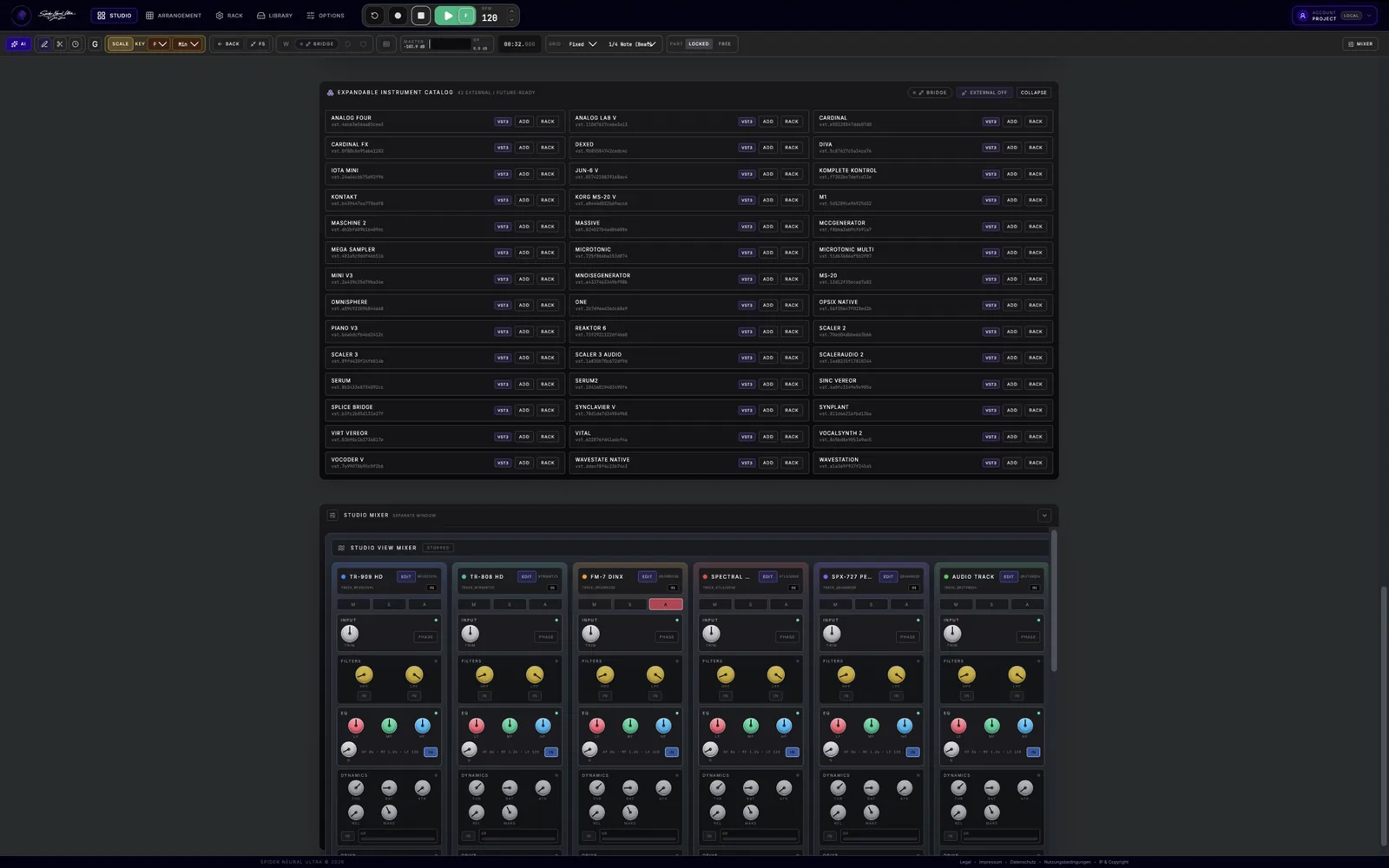
YOUR INSTALLED VST3 PLUGINS
Load software synths, sample libraries, pitch-correction tools, guitar amps and analog-modeled master buses. Add multiple instruments and effects on their own tracks and inserts; their settings save with your Spider project. The native Bridge stays optional.
Fast first. Precise when it matters.
Studio Flow gets music into the song quickly. Spider's editors give you the control to finish it: tune the notes, lock them to a scale, tighten the timing, reshape the audio or turn a recording into MIDI.
MIDI + PERFORMANCE
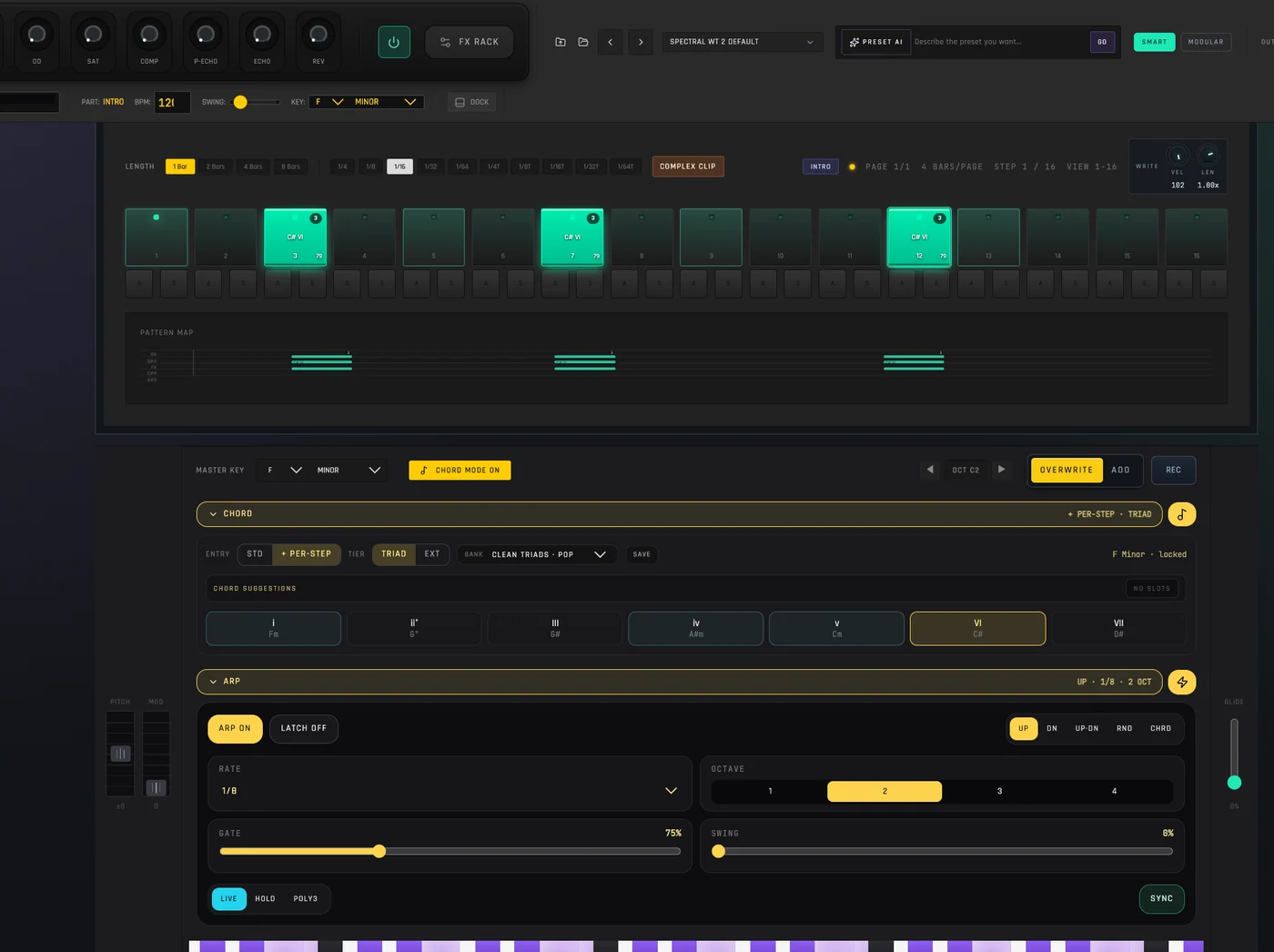
Scale Lock & Chord Maker: Never hit a wrong note. Lock the piano roll to any key or trigger full voicings with single keys.
Melodic Step Sequencer: Tap in rhythm patterns, adjust gate and velocity, and automate pitch in real time.
Explore melodic step sequencing · Explore Scale Lock and Chord Maker
AUDIO CLIPS
Advanced Warp Engine: Match imported loops and recordings seamlessly using 5 dedicated algorithms: Beats, Tones, Texture, Complex, and Re-Pitch.
Inline Waveform Editor: Edit transient markers, gain, and fades directly beneath the timeline without leaving the arrangement.
AUDIO TO MIDI
Transform recorded vocal runs, guitar licks, or beatbox grooves into editable MIDI data with one click.
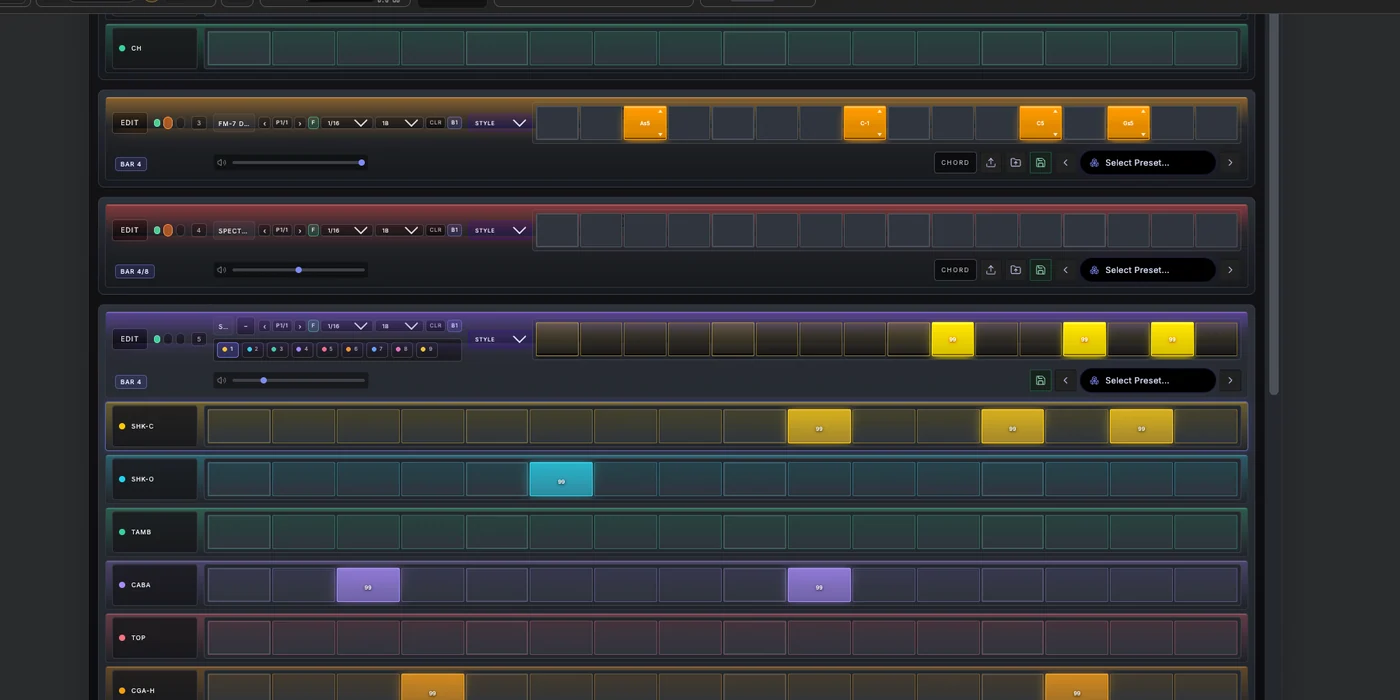
Connect a MIDI keyboard, play the on-screen keys or use your computer keyboard. Record a melody or chord idea into the active Part, then keep shaping the same editable MIDI in Arrangement.
Choose a key and scale for new notes, or use Apply to Scale in the MIDI Clip Editor to reshape notes you already recorded. Build chord voicings with Chord Maker and turn held notes into movement with the arpeggiator.
Draw, move and resize notes, adjust velocity and tighten timing. Copy a phrase into a variation or ask Spider AI to develop its melody, harmony or groove—without flattening it into audio.
Record · edit · slice · play
Spider is engineered for serious audio production. Track vocals, guitars and hardware instruments, then turn a take into edited audio, playable samples or real MIDI. The detailed waveform stays beneath Arrangement, so every edit belongs to the song.
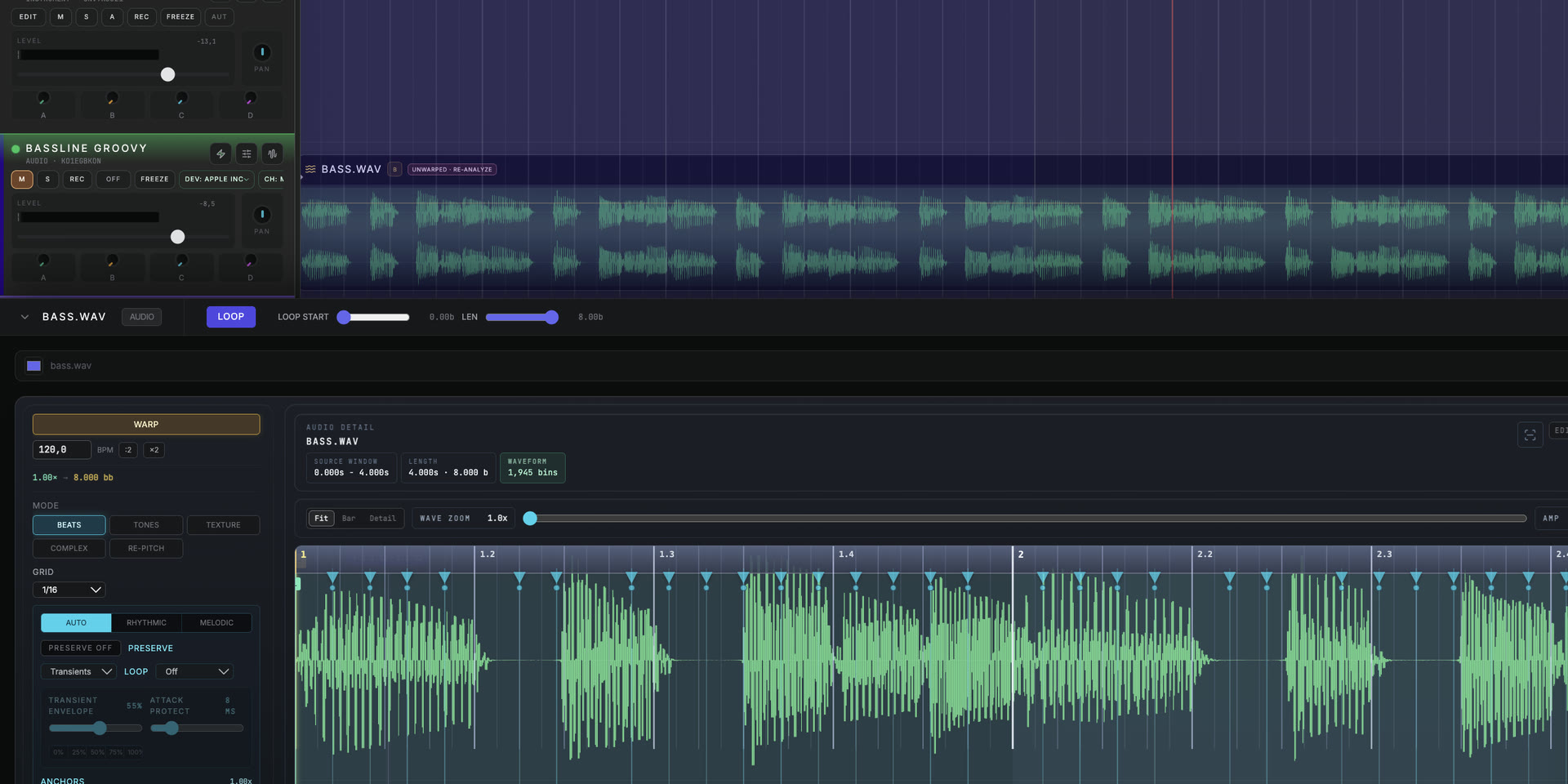
WARP · TRANSIENTS · LOOP
Match imported loops and recordings seamlessly using 5 dedicated algorithms: Beats, Tones, Texture, Complex, and Re-Pitch.
Choose Beats, Tones, Texture, Complex or Re-Pitch instead of forcing every sound through the same process.
Edit transient markers, gain, and fades directly beneath the timeline without leaving the arrangement.
Transform recorded vocal runs, guitar licks, or beatbox grooves into editable MIDI data with one click.
Connect your USB or Thunderbolt audio interface and record vocals, guitars or hardware synthesizers with real-time monitoring.
Route discrete hardware inputs to separate audio tracks for multi-mic setups and live tracking sessions.
Capture a vocal take, field recording or instrument pass and map it into Spider's 8-lane sampler for slicing, pitching and re-triggering.
Explore the sampler →Automation · from a loop to a living track
A great arrangement evolves. Record instrument and effect parameter movements while the track plays, then shape their automation in the timeline. Build filter rises, changing textures and expressive effect transitions around the music—not around a separate file.
Turn exposed synth and effect controls during playback with automation recording enabled. Your gestures become editable parameter changes in the project.
Edit automation points and curves in Arrangement. Control where a filter opens, an effect builds or a sound settles back into the next Part.
Combine MIDI variations, Song Parts and parameter automation to create tension, release and movement. Keep developing the same project from Studio Flow through Arrangement and mixing.
Stay inside the song
Shape your mix from rough cut to final master without external plug-ins. Every track comes standard with a full channel strip: input gain, high/low cut filters, 4-band parametric EQ, VCA-style compressor, saturation, and 4 aux sends. Explore Mixer and Rack.
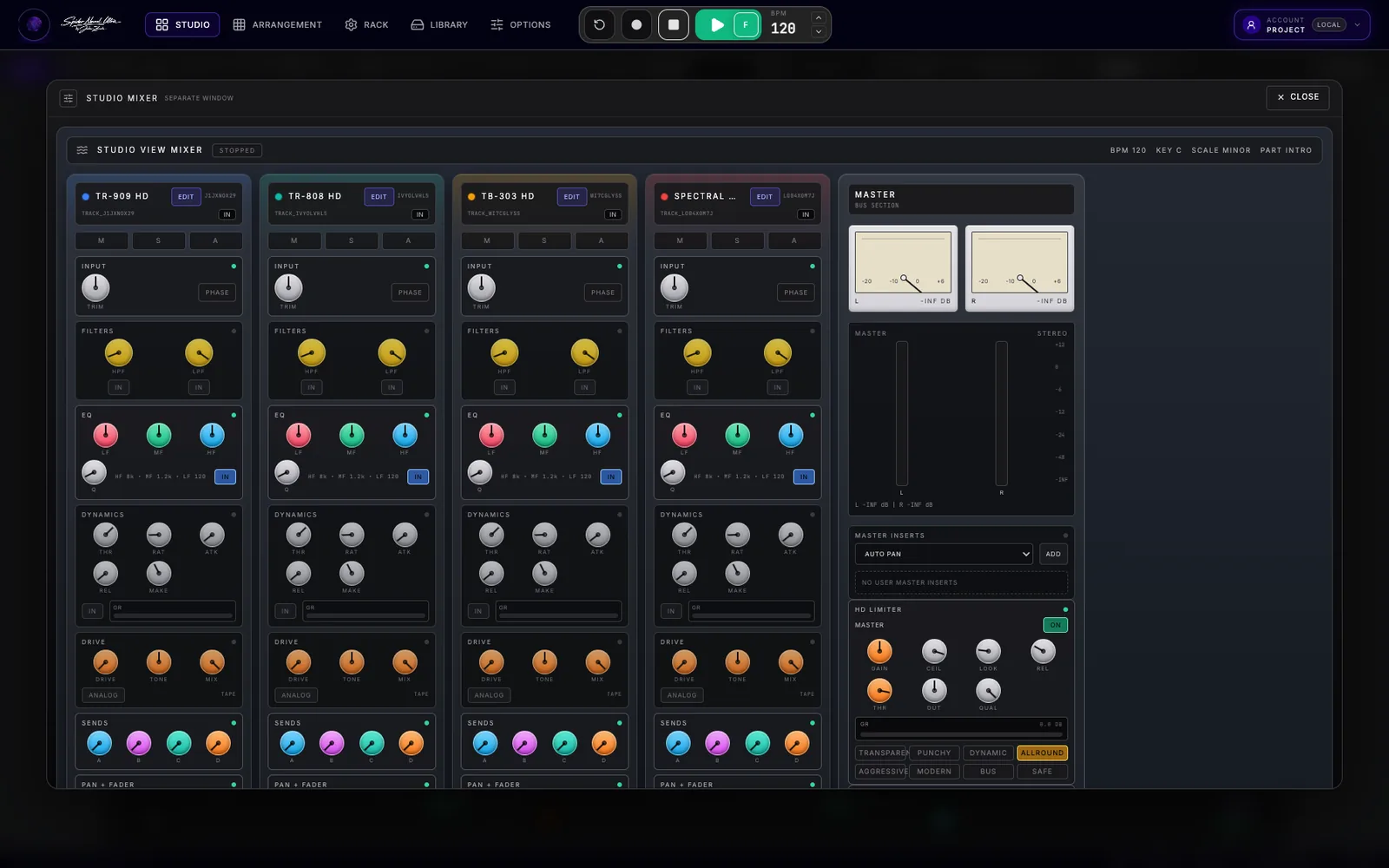
The effect room
Precision EQ: EQ8's eight bands, live pre/post analyzer and stereo, mid/side or single-channel processing give every sound its place.
Dynamic Shaping: Compressor HD, Limiter HD, Sidechain Compressor, and Sidechain Pump.
Color & Saturation: Saturator HD and Overdrive Stompbox.
Time & Space: Delay HD, Echo Pedal, Reverb HD, and Studio Convolution Reverb.
Modulation: Studio Chorus, Vintage Flanger, Analog Phaser, and Auto-Pan.
Master Bus: Integrated stereo metering, user insert racks, and true-peak HD Limiting. Browse the effect guides.
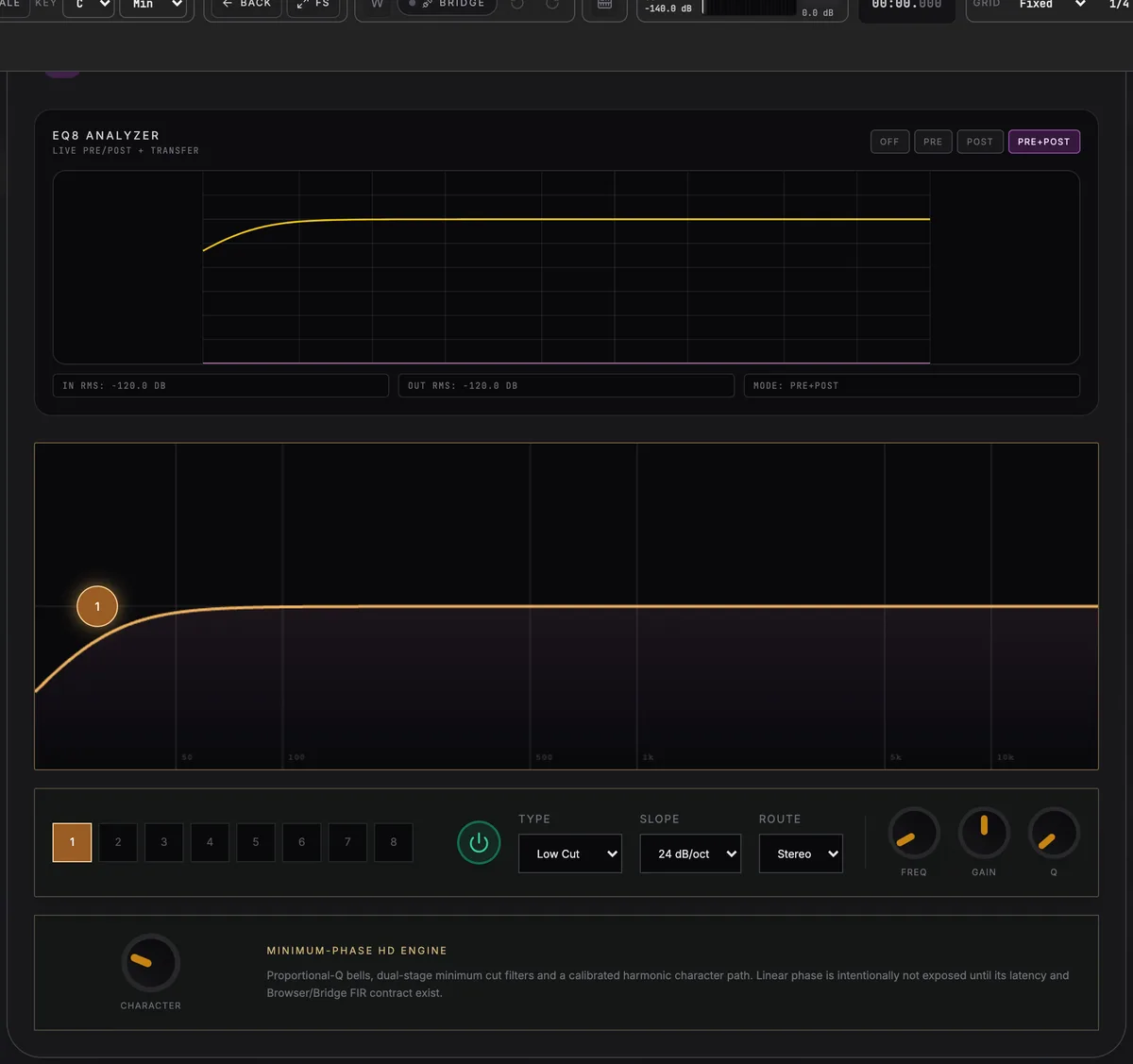
EQUALISATION
Eight bands with a live pre/post analyzer, per-band type, slope up to 24 dB/oct, and stereo, mid, side, or single-channel routing.
External MIDI · MIDS
Sequence external MIDI instruments alongside Spider's own sounds. MIDS brings keyboard and pad performance, chords, arpeggiation, assignable CC controls and MIDI clock into the same Studio Flow and Arrangement.
Explore the MIDS MIDI controller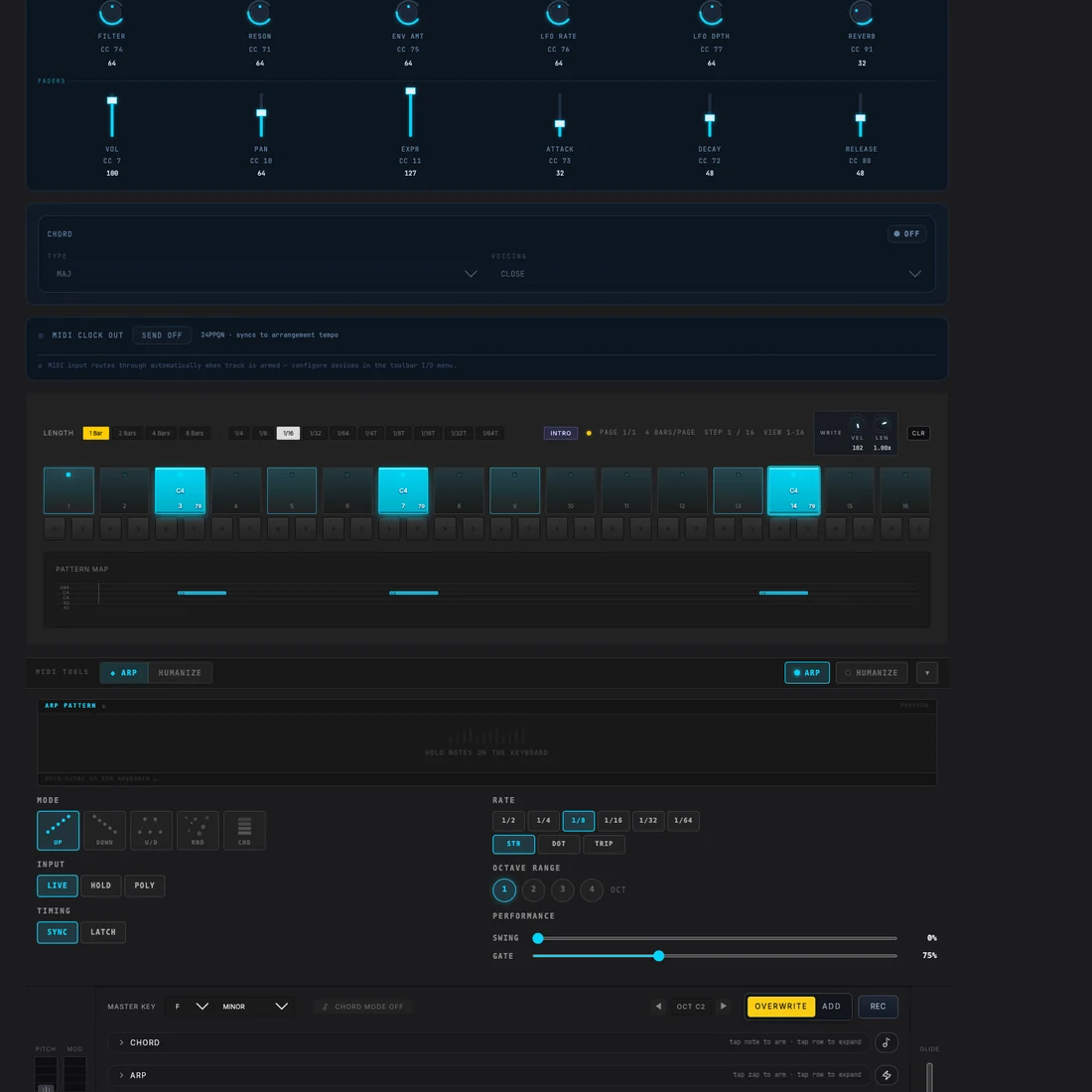
Finish · save · take it with you
Your music stays yours—from the first step to the final file. Finish the mix in Spider, export the audio you need and keep the editable session ready for the next idea.
Export a WAV or MP3 mix, or selected tracks. Choose the full arrangement, current Part or loop range. WAV supports 16-bit, 24-bit and 32-bit float; MP3 offers 128, 192 or 320 kbps.
Search and preview samples, find MIDI files and drag assets from the Library into Arrangement. Save your own instrument presets with their Instrument FX and reuse the sounds that make a track yours.
Save projects locally or in the cloud. Export and import a portable .snu project file to reopen your notes, arrangement and sound settings. Start from a factory project or open the demo to explore a finished production.
Freeze & Unfreeze · keep creating
Freeze a demanding track in place as audio to reduce live processing. Its original state is kept for Unfreeze, while the fader, pan and sends remain live. Unfreeze when you want to change the notes or sound again, or bounce the track to a downloadable audio file.
Start free · expand with Pro
Start with Spider Free. Spider Pro's expanded entitlements are planned and will be confirmed before purchase is available.
Spider Pro features above are planned, not current purchase entitlements. Plans, limits and pricing are still being finalized.
Online DAW · answered
Spider Neural Ultra is an online DAW for making complete tracks: sequence the first beat, shape MIDI and audio, build the Arrangement, mix and export — without leaving the production workflow.
Yes. Create a free Spider account to join beta testing and explore premium production tools. AI usage is limited, and the optional desktop VST3 Bridge is available on request. Future Pro plans and pricing are separate from beta access.
Open Spider Studio Flow in your browser. Choose a drum machine, click steps to build the beat, then add bass, chords and a melody. All 13 built-in instruments and MIDI devices belong to the same editable project in Arrangement.
Click steps to program drums, drag melodic notes up or down for pitch and stretch their lengths. Combine this with modular Song Parts. In Part Locked mode, Studio Flow writes standard MIDI clips directly into Arrangement: one set of notes, two ways to shape it.
Spider AI creates white-box, fully editable DAW data instead of flattened audio. Generated clips, Parts and song ideas contain separate tracks, MIDI notes and real instrument parameters. Preview the result, apply what you want, then edit, replace or automate it.
Yes. Spider's Web Audio API engine supports sub-10ms round-trip latency for vocals, guitars and MIDI-controller performance through your audio interface. Your device, audio drivers and selected buffer determine the latency of your setup.
Yes. Multiple users can work in the same cloud project. One producer can arrange drums while another records vocals or guitars on their own track. Session data syncs into the shared project; audio monitoring, playback and hardware I/O remain local to each user.
Yes. Map recorded audio or imported stems into Eightcross HD, Spider's 8-lane sampler, for slicing, pitching and pad triggering. You can also convert recorded melodies into editable MIDI with the built-in neural Audio-to-MIDI engine.
Yes. Choose a key and scale in the MIDI Clip Editor and use Apply to Scale to reshape existing notes. Continue editing their pitch, timing, length and velocity, or ask Spider AI to develop the phrase.
Yes. Preset AI works with actual synthesizer parameters, including modulation, wavetables and FM algorithms on the relevant instruments. Enable AI+ to include the Instrument FX chain. Save the resulting synth and Instrument FX settings together as a preset.
Export a WAV or MP3 mix, or selected tracks. Choose the full arrangement, current Part or loop range. WAV options include 16-bit, 24-bit and 32-bit float. You can also export a portable .snu project file to reopen the editable session.
An online DAW is a digital audio workstation that runs in a web browser. Spider lets you sequence, record, edit MIDI and audio, arrange, mix and export inside its browser-based studio.
Yes. Studio Flow, Song Parts, Arrangement, detailed MIDI and audio editing, built-in instruments, effects, mixing and export stay connected in one production workflow.
Use the full DAW or compact touch view on phones and tablets. Phones open the full DAW by default. Use the view button in the header to switch between them. Native VST3 hosting requires the desktop Bridge.
Yes. Invite a friend, producer or student anywhere in the world into one shared project. Follow their live cursor and selections, and see musical edits as they work. Each participant keeps independent local playback and monitoring.
Yes. Spider's optional desktop Bridge hosts your VST3 instruments and effects inside the project, with multiple instances on their own tracks and inserts. Spider's built-in instruments work without the Bridge.

Your online music studio is one browser away
Sequence the beat. Collaborate globally. Finish the record.
Join Beta Testing NowGet Free Premium Features