
Make music without starting with music theory
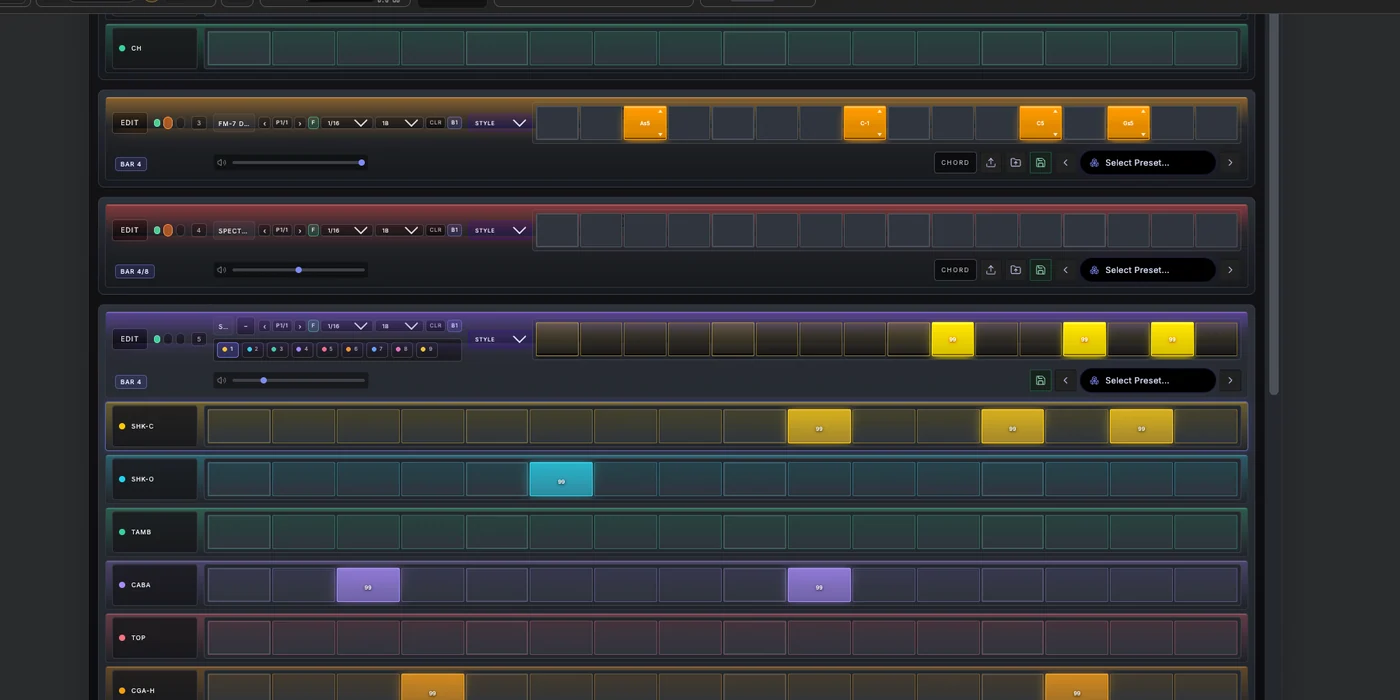
Begin with an analog circuit-modelled 808 or 909, then add a bassline or chords from Spider’s built-in synthesizers. The same playful step workflow handles rhythm, pitch and note length. Play your MIDI keyboard or use touch controls on an iPad; your musical ideas remain editable MIDI clips, ready to arrange and export.
Your idea, developed with Spider AI
Describe a sound to generate a preset, ask for a new Song Part, or refine the melody you already made. Spider AI works inside the producer workflow with the same instruments and MIDI clips, so you can keep shaping the result rather than accepting a finished audio file.
One musical result, two useful views
A short loop is often the fastest way to find the energy of a track. In Spider, you can choose a Song Part, let it loop, and work across drum and melodic lanes while you hear the section in context. The important detail is where those edits go: Part Locked mode writes the MIDI into the active Part’s clips.
When you open Arrangement, the same notes are already on the timeline. You are not exporting a pattern, copying it into a second editor, or maintaining a hidden version. Studio Flow is the quick way to author the material; Arrangement is the detailed way to inspect, place and develop it.
Build variation without rebuilding the idea
Once a section works, copy the Song Part and make a purposeful change: reduce the drums for an intro, alter the bass rhythm, open the harmony, or remove a layer before the next drop. This turns repetition into arrangement work while keeping the relationship between each section visible.
For ideas that should not yet be tied to the current section, Spider also offers a Free workflow. That keeps experimentation separate until you decide where it belongs. The distinction is deliberate: a producer should know whether an edit is changing the active song section or staying independent.
Move to detail only when detail helps
Use Studio Flow for the first musical decisions. Then move to the piano roll when note length, velocity, timing or pitch needs precise attention. Use Arrangement when the part needs a place in the song, and use audio editing for recorded or imported material. Each surface has a different job, but the project remains one project.